Stored Procedures in PostgreSQL
In PostgreSQL, a stored procedure is a named, pre-compiled set of SQL statements that performs a specific task or set of tasks. They can be reused and called from different applications or within other procedures. Stored procedures are particularly useful for encapsulating complex logic, improving code reusability, and enhancing database performance.
Features of Stored Procedures:
Pre-compiled:
Stored procedures are compiled once and stored on the database server, making them faster to execute than repeatedly compiling ad-hoc SQL statements.
Reusable:
Once created, a stored procedure can be called multiple times from different applications or within other procedures.
Encapsulated Logic:
They allow you to encapsulate complex SQL logic into a single, named unit, making it easier to manage and maintain.
Improved Performance:
By pre-compiling and storing the code on the database server, stored procedures can improve performance compared to executing the same SQL statements multiple times from an application.
Transaction Management:
PostgreSQL stored procedures can help with transaction management by ensuring that a set of SQL statements is executed as a single, atomic unit
Syntax for creating the stored procedures:
CREATE [OR REPLACE] PROCEDURE procedure_name(parameter_list)
LANGUAGE plpgsql
AS $$
DECLARE-- variable declaration
BEGIN-- stored procedure body
END; $$
CREATE [OR REPLACE] PROCEDURE keywords will create a procedure or replace it if it already exists.
procedure_name: The name of the stored procedure.
parameter_list: Parameters in stored procedures which can have the IN and INOUT modes but cannot have the OUT mode. The default mode is IN mode.
LANGUAGE plpgsql: Specifies the procedural language. Other languages like SQL and C can also be used.
$$: Dollar-quoted string constant syntax to define the body of the stored procedure.
Inside the stored procedure, the return statement cannot be used with a value, for example:
RETURN expression;
However, return statement can be used without expression to stop the stored procedure immediately, for example:
RETURN;
INOUT mode parameters are used to return a value from stored procedures.
Example of creating a Stored Procedure
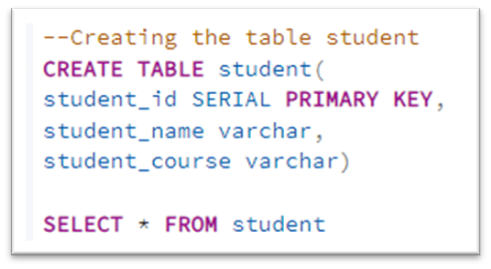
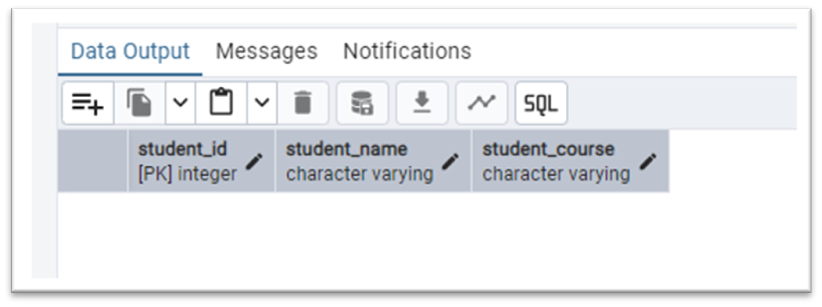
1. Create a table ‘student’
CREATE TABLE student(
student_id SERIAL PRIMARY KEY,
student_name varchar,
student_course varchar)
2. Create a stored procedure for inserting values into student table.
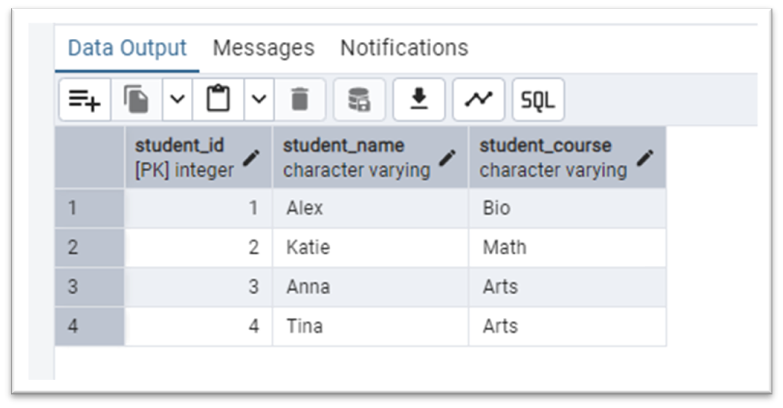
The following example creates a stored procedure that inserts 4 rows in the student table.
CREATE OR REPLACE PROCEDURE insert_student(
s_name varchar,
s_course varchar)
LANGUAGE plpgsql
AS $$
BEGIN
INSERT INTO student(student_name, student_course)
VALUES ('Alex','Bio'),('Katie', 'Math'),('Anna', 'Arts'), ('Tina','Arts');
END;
$$;

Calling a Stored Procedure
To call a stored procedure, use the CALL statement as follows:
CALL procedure_name(argument_list);
For example, call the same stored procedure we created above to insert the values in a student table.
CALL insert_student(’s_name’,’s_course’);

Stored procedure with INOUT parameters
Inout mode parameters are used to return a value from a stored procedure.
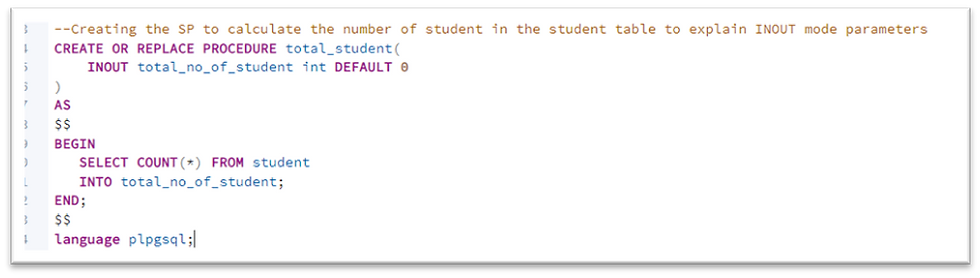
Let’s see an example, create a stored procedure that counts the total number of students in the student table.
CREATE OR REPLACE PROCEDURE total_student(
INOUT total_no_of_student int DEFAULT 0
)
AS
$$
BEGIN
SELECT COUNT(*) FROM student
INTO total_no_of_student;
END;
$$
language plpgsql;
Call the above stored procedure by following call statement:
CALL total_student()


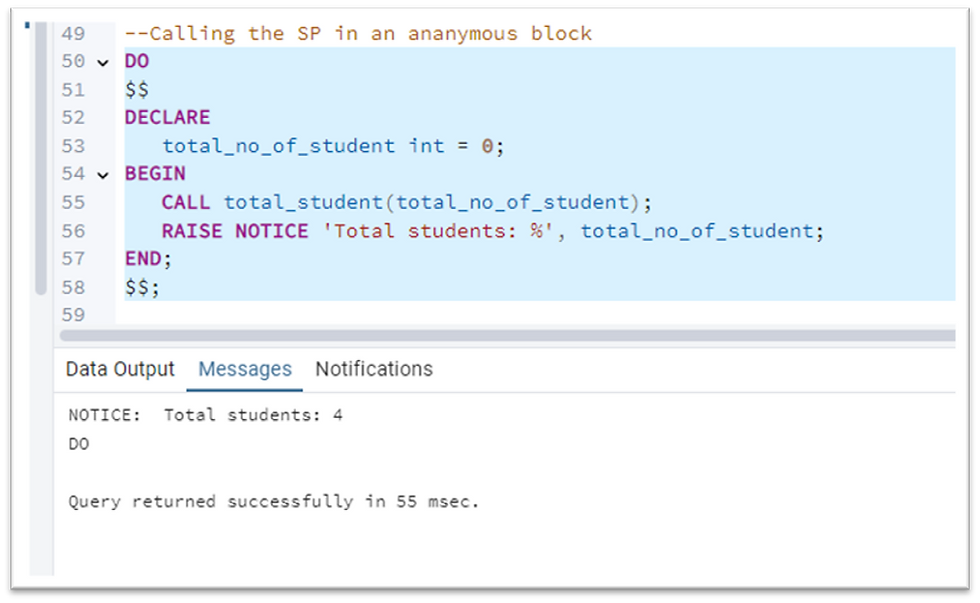
Example of calling a stored procedure in an anonymous block by providing the INOUT mode parameter in the CALL statement.
DO
$$
DECLARE
total_no_of_student int = 0;
BEGIN
CALL total_student(total_no_of_student);
RAISE NOTICE 'Total students: %', total_no_of_student;
END;
$$;
Stored Procedure with multiple INOUT parameter
We will consider the same student table and create a stored procedure to count the students in each course.
CREATE OR REPLACE PROCEDURE total_student(
INOUT total_no_of_student_bio int DEFAULT 0,
INOUT total_no_of_student_math int DEFAULT 0,
INOUT total_no_of_student_arts int DEFAULT 0
)
AS
$$
BEGIN
SELECT COUNT(*) FROM student
INTO total_no_of_student_bio
HAVING student_course = ‘Bio’;
SELECT COUNT(*) FROM student
INTO total_no_of_student_math
HAVING student_course = ‘Math;
SELECT COUNT(*) FROM student
INTO total_no_of_student_arts
HAVING student_course = ‘Arts;
END;
$$
language plpgsql;

Calling the stored procedure:
CALL total_student(0,0,0)
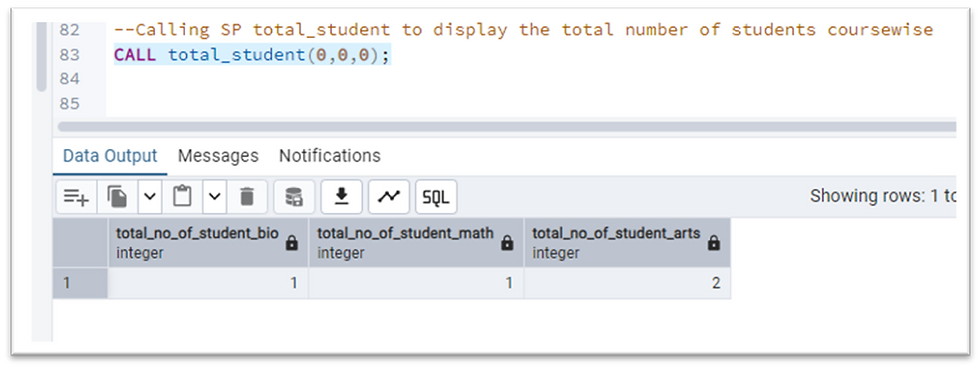
It is important to note here, the name of the stored procedure is the same name total_student which we created earlier for calculating the total no of students in the student table. Stored procedure can share the same name but with different parameter list. If we call the above stored procedure as:
CALL total_student();
It will throw an error that total student is not unique. So we need to give the parameter while calling the stored procedure, to let know the server, which exact stored procedure is being called.
Drop stored procedure
The syntax of dropping the stored procedure:
DROP PROCEDURE [if exists] procedure_name [argument list]
[CASCADE|RESTRICT]
Use the if exists option if you want PostgreSQL to issue a notice instead of an error if you drop a stored procedure that does not exist.
procedure_name is the stored procedure that you want to drop.
Specify the argument list of the stored procedure if the stored procedure’s name is not unique in the database. PostgreSQL needs the argument list to determine which stored procedure that you want to drop.
Finally, use the CASCADE option to drop a stored procedure and its dependent objects, the objects that depend on those objects, and so on. The default option is RESTRICT that will reject the removal of the stored procedure in case it has any dependent objects.
For example, delete the stored procedures we created above.
DROP PROCEDURE IF EXISTS total_student();
This will throw an error as ‘procedure name "total_student" is not unique’
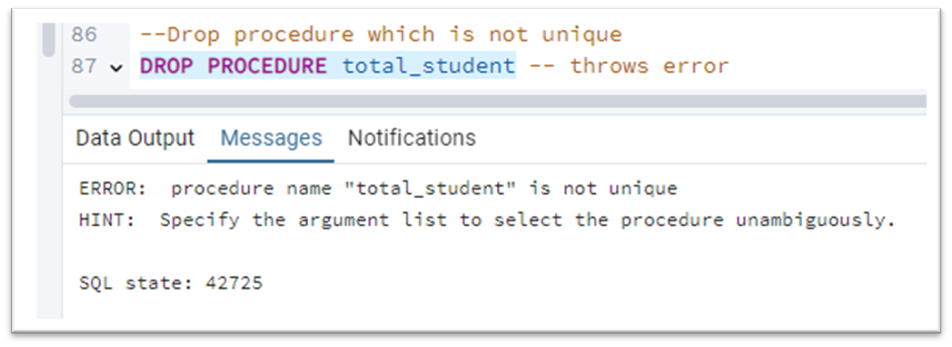
Because there are two total_student stored procedures, we need to specify the argument list so that PostgreSQL can select the right stored procedure to drop.
Frist drop the total_student(integer) stored procedure that accepts one argument:
DROP PROCEDURE total_student(integer);
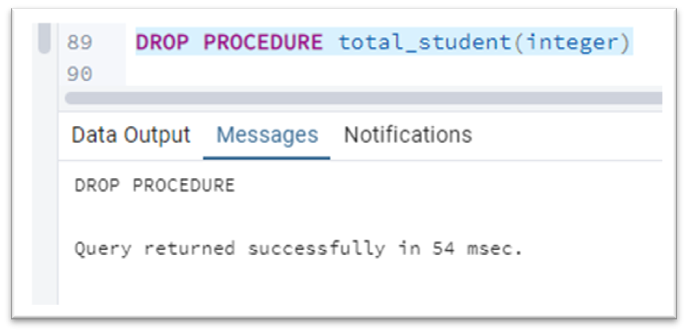
Since the total_student stored procedure is now unique, you can drop it without specifying the argument list:
DROP total_student();
Which is as good as
DROP total_student(int,int,int);
We can specify a comma-separated list of stored procedure names after the drop procedure keywords to drop multiple stored procedures.
Conclusion:
PostgreSQL stored procedures offer a powerful way to encapsulate and execute SQL logic, enhancing code reusability, modularity, performance, and security within the database environment. Stored procedures offer advantages like performance gains through pre-compilation and reduced network traffic, as well as code reusability and enhanced security by controlling access to data. However, disadvantages include increased complexity, potential performance bottlenecks, and challenges related to debugging and testing. Stored procedures in PostgreSQL are particularly useful for automating tasks, managing transactions, and enhancing database security.
Thank you reading the blog. I hope this blog clears your concept of Stored Procedures in PostgreSQL.
Happy reading!!!


