Singleton Design Pattern in Java and its implementation.

Welcome back to my blog. Today we will walk through about singleton design patterns in java. But before deep dive into singleton design pattern, lets understand what is a design pattern in java and why design patterns are important.
A design pattern is a proven, reusable solution to a common software design problem. It is not actual code, but a template or blueprint for how to solve a problem in various situations. This is best practice by developers and testers to use to structure code in a clean, maintainable, and scalable way.
Then Lets see why design patterns are important in Java?
As we all know Java is an object-oriented language, and design patterns are naturally suited to solving common problems in OOP.
Java developers and automation testers use design patterns to:
Promote code reuse
Improve maintainability that is tests don't break when UI changes.
Separate test logic from UI logic.
Make test code more readable and modular.
Support scalability when writing tests for large applications.
Singleton design pattern in java.
There are various types of design patterns are available in java. But this blog only focuses on singleton design pattern. Lets see it.
What is singleton design pattern? It ensures that class has only one instance and provides a global access point to that. In simple layman term is that the class have only one object and that object can be used by multiple classes and mutiple threads across the project. That means an object will create only once. It can be achieved in different steps.
Step1:we need to create a private static instance of the class.
private static Singleton instance;This will hold the only instance of the class.
Step2: we need to make the constructor as private
                     private Singleton() {
}
This private constructor is used to prevent or avoid instantiation of object that is it prevents other classes from creating a new instance using new Singleton().
Step 3:We need to create a public static method to return the instance
                 public static Singleton getInstance() {
                       if (instance == null) {
                           instance = new Singleton();
                         }
                    return instance;
 }
This method checks if an instance exists. If not, it creates one. Otherwise, it returns the existing one. This method can be used in other classes as it has public access specifier.
Below is the complete example/Implementation of singleton design pattern.
package SingletonPattern;

public class Browser {

	//1.private static instance of the class
	private static Browser browser;

	//2. private constructor to prevent/avoid instantiaon/object
	private Browser() {

	}
	//3.public static method getInstance to provide access to the instance/object

		public static Browser getInstance() {
			if(browser ==null) {
				browser=new Browser();
			}
			return browser;
		}

	//Individual public method of the class
		public void displayMesg() {
			System.out.println("browser info");
		}
	}
To test the above code we need to create another class to validate
  package SingletonPattern;

public class TestBrowser {

	public static void main(String[] args) {
		Browser.getInstance().displayMesg();

	}
}
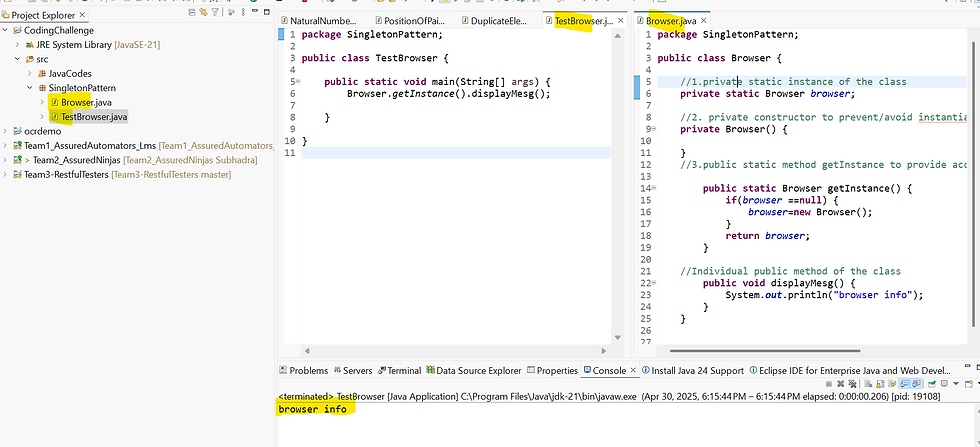
So in multi threading environment also we can achieve this. All threads will use the single instance of the class one by one(not at a time) . If one thread is using this, then it will lock ,so no other threads will use the same. Once that particular thread done using ,then the instance will be released so other threads can use one after another.
We can achieve this with the help of synchronized keyword.
public synchronized static Browser getInstance() {
			if(browser ==null) {
				browser=new Browser();
			}
			return browser;
		}
But if we will use this synchronized keyword at method level ,then there will be performance issue as all threads are waiting to use, So to overcome this, we can use multiple checks that is double-checked locking in Java.
Below is the code snippet for multiple threading with no more performance issue.
public static Browser getInstance() {
			if(browser ==null) {
               synchronized (Browser.class){
                  if(browser ==null){
				browser=new Browser();
                  }
			}
            }
			return browser;
		}
Instead of using synchronized keyword at method level, we can introduce one synchronized block.
We can also enhance singleton with volatile to make it 100% thread-safe, including in a multi-core environment.
lets see what is volatile keyword in java .
It is a keyword used to mark a variable so that:
It is always read from and written to main memory, not from a thread's local cache.
It ensures visibility of changes across multiple threads.
If we will not use volatile keyword in java then each thread might cache a copy of the variable , One thread may update it, but others don’t see the change immediately. So with volatile All threads see the latest value of the variable. Prevents subtle bugs where threads act on outdated or partially initialized values.
To achieve this below is the code snippet.
private static volatile Browser browser;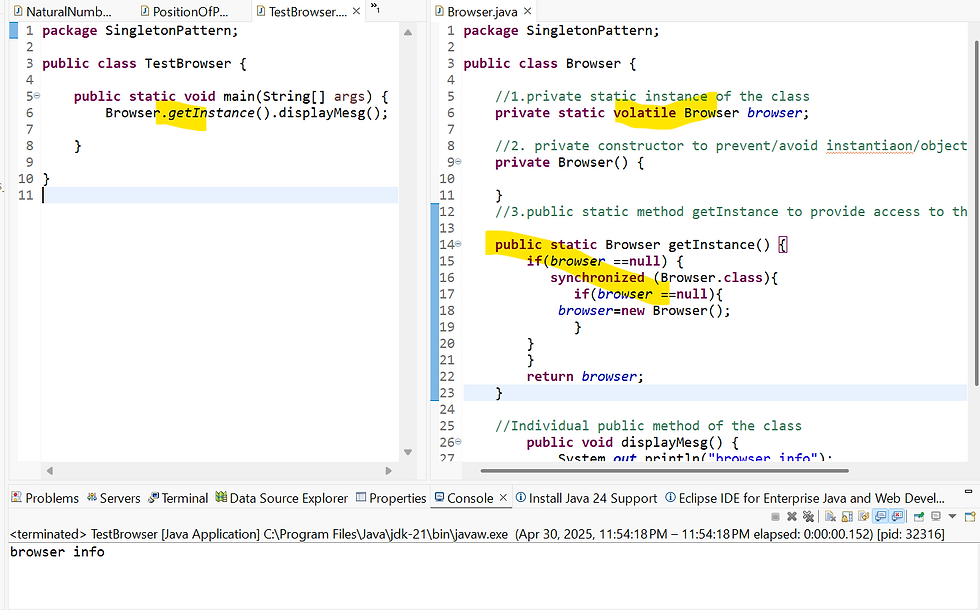
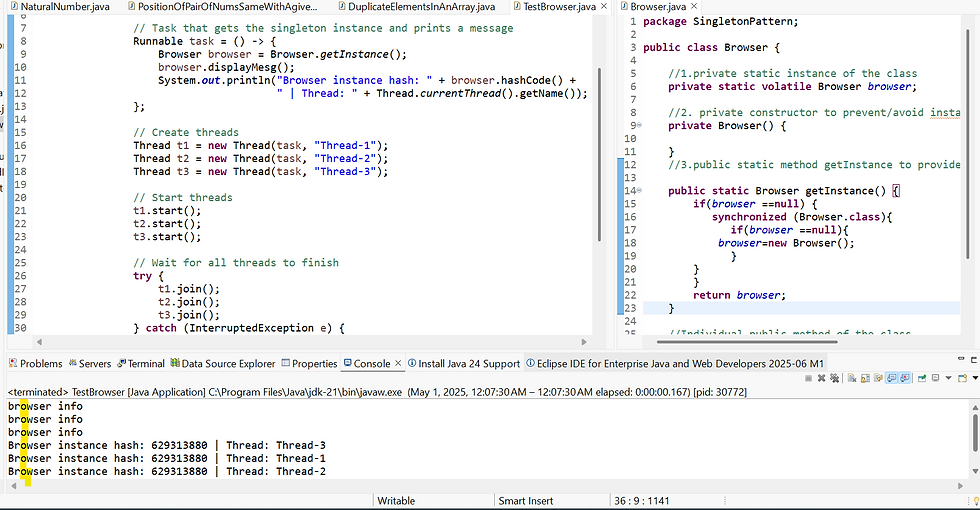
If we want to implement this above code in multi threaded environment, then below is the code snippet.
package SingletonPattern;

public class TestBrowser {

	public static void main(String[] args) {

		        // Task that gets the singleton instance and prints a //message
		        Runnable task = () -> {
		            Browser browser = Browser.getInstance();
		            browser.displayMesg();
		            System.out.println("Browser instance hash: " + browser.hashCode() + " | Thread: " + Thread.currentThread().getName());
		        };

		        // Create threads
		        Thread t1 = new Thread(task, "Thread-1");
		        Thread t2 = new Thread(task, "Thread-2");
		        Thread t3 = new Thread(task, "Thread-3");

		        // Start threads
		        t1.start();
		        t2.start();
		        t3.start();

		        // Wait for all threads to finish
		        try {
		            t1.join();
		            t2.join();
		            t3.join();
		        } catch (InterruptedException e) {
		            System.out.println("Thread interrupted: " + e.getMessage());
		        }

		        System.out.println("All threads have completed execution.");
		    }
}
Out put snippet is shown below.
browser info
browser info
browser info
Browser instance hash: 629313880 | Thread: Thread-3
Browser instance hash: 629313880 | Thread: Thread-1
Browser instance hash: 629313880 | Thread: Thread-2
All threads have completed execution.
This is all about singleton design pattern and its implementation. Hope this blog will help you to understand this.
Happy learning. Keep learning and keep shining.!!!!!!!!!!!!!
Thank you.


