🚀 Seamless Test Management: How to Integrate TestRail with Jira for Enhanced QA-Dev Collaboration

TestRail uses integration functionality with Jira to bridge the separation between defect tracking and testing operations. TestRail creates better connections between testing activities and defects to enhance operational efficiency and teamwork between teams. The tool demonstrates ways in which it favors both software developers and QA team members in their operations. The setup procedure together with the advantages for both QA teams and developers are explained in this blog.
Why do we need to connect between TestRail with Jira?
Establish smooth workflow for the QA and development teams to follow.
Helps the QA to have better traceability between test cases, test results, and defects.
Avoid duplication.
Increase the speed at which defects are reported and fixed by QA.
What is Test Rail ?
Test Rail is a web-based test case management tool developed by Gurock
It helps QA teams :-
Create ,Organize test cases.
Run test cycles and check the outcomes.
Create test reports detailing the testing process and examine the outcomes.
What is Jira?
Jira is a popular tool for issue tracking and project management where it is used by developers , product owners and QA developed by Atlassian
Jira helps:
Helps the team members to track QA defects and user stories
Assign and track problems
Work well with others in different teams.
Step-by-Step: How to Connect Jira with TestRail
Log into Test Rail as Admin
Administrator access is needed in order to do Test Rail integrations.
Navigate to integration settings
Go to administration---->Integration
In the "Configure JIRA integration" section choose
Jira Version :Cloud
Fill in Integration Details
JIRA URL: ·https://sethumadhavanshaalini.atlassian.net
Username/API Token: Use your email for Jira Cloud sethumadhavanshalini@gmail.com
API Token :Generate one from your Atlassian account
Project Key Format: E.g. PROJ

Test and Save
Click Enable Jira Integration test Connection.
Click Save to finish the setup if it works.
Connect JIRA issues in Test Rail
Test Rail automatically configures after it is connected
Defect View URL : Use %%id%% to jump directly to JIRA issues.
Defect Add URL : Create JIRA issues from Test Rail.
Defect Plugin: Jira Cloud

Install Jira Add -On for Test Rail
To see TestRail data inside Jira:
In TestRail, click Install Jira Add-on

Atlassian Marketplace will open → Click Get it now
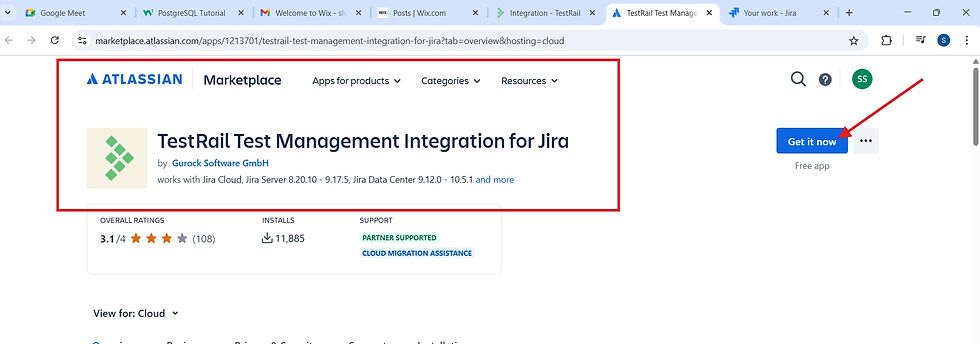
After installation, click Configure

Now, Jira shows linked TestRail cases and runs.

Test Rail: Cases


Test Rail: Runs


Test Rail +Jira Workflow :
From Test Rail --> Jira
Create JIRA issues when a test fails .
Add JIRA stories /tasks in test cases.
From Jira --> Test Rail
View linked test cases , runs and results inside Jira .
Make developers more visible.
FlipCart Example : How Test Rail and Jira work
Test Suite Name :FlipCart Test Suite
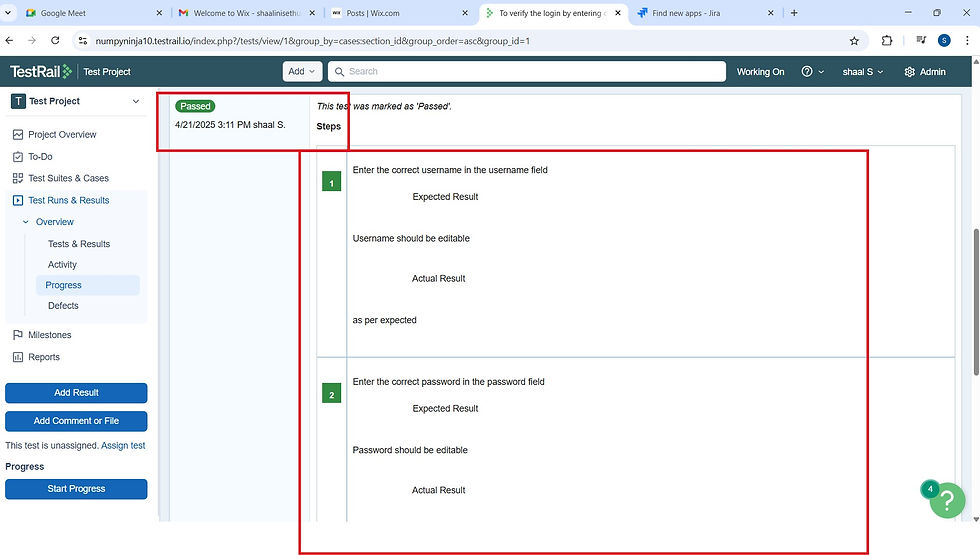
Section Name 1: Login in FlipCart
Test Case Name: Verify login with correct username and password
Precondition: FlipCart URL should be accessible.
Test Steps :
Enter username -----> username field should be editable .
Enter password ------>password field should be editable .
Click Login -----> Login button should work and login successfully.

Section Name 2: Added to the Cart
Test Case Name : Verify adding product to the cart .
Precondition: User should be on the product screen.
Test Steps :
Click Add to Cart ----->Button should be clickable and product should be added to the cart .
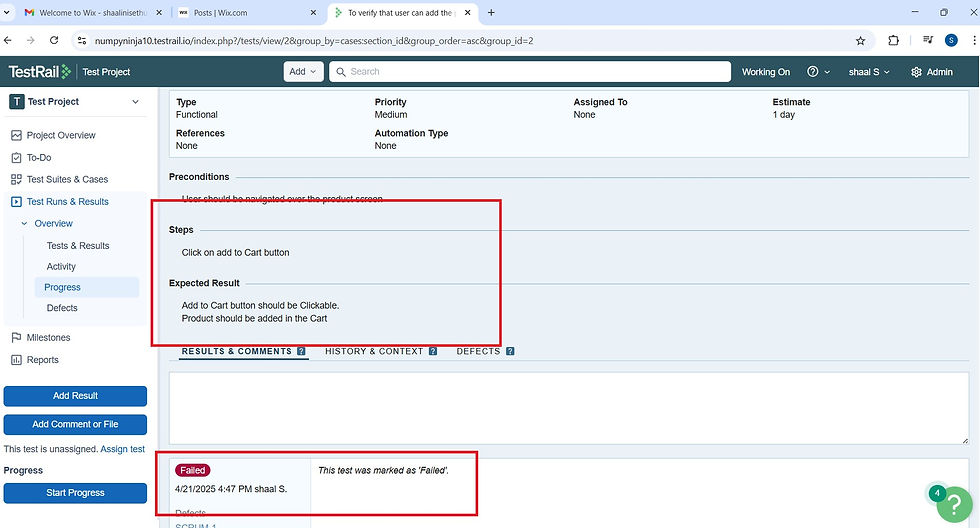
Failing Test Case (Section 2: Added to the Cart )
Issue : The system fails to add the selected product to the cart when customers use the Add to Cart button.
Next step : Create a defect in Jira .
Creating a Defect in Jira from Test Rail :
Click "Add Defect" in TestRail

Jira Issue Details :

Below is the Backlog view of the "Test Project," where the issue "SCRUM-1: User is not able to add to the cart" is added under "SCRUM Sprint 1."

We are adding the defect in Test Rail for Failed Test case

We are linking the defect created in Jira to TestRail by adding it under the "Defects" section, as shown in the below screenshot.

Jira defect "SCRUM-1" is successfully linked to the failed test case in Test Rail.

Click on the "SCRUM-1" you will be able to view the defect in Jira .

Selenium+TestNG +Test Rail Integration- A smooth Workflow
A web application functionality verification process used TestNG and Selenium scripts written in Eclipse. Once the tests were executed, the results—whether passed or failed—were immediately visible in the Eclipse console.
What made the process even smoother was the automatic update to TestRail. Without any manual effort, test cases linked to the automation were marked as "Passed" in TestRail after execution. The integration creates efficiency along with automation reduction that maintains complete alignment between code development and test management.
Please find the below git repository link as below :-
Advantages of Using Test Rail+Jira Together
The integration of TestRail with Jira creates an environment which enhances productivity between QA professionals and developers. Here's how :-
Test Rail serves for test tracking while Jira handles defects and tasks such that all information remains interconnected in one system.
Clear Testing Updates Show Results of Passed cases and Failed cases Together with Pending Tasks without any Uncertainty.
Easy Bug Reporting :QA Team will find a defect and then QA team can create Jira log entries directly from TestRail
The platform allows all three groups i.e. Testers, Developers, and leads to have identical access to the same information.
For teams to work quickly, data management in the software system offers an agile solution that supports project components including test cycles, boards, and sprint management.
Conclusion
Instead of juggling between tools , you will get one smooth workflow where the test cases, defects and tasks all are on the same page .It saves time ,reduces errors and brings the whole team on the same page too.
I hope this blog should have helped you understand the benefits of combining Jira and TestRail to enhance testing along with development methodologies. Combining tests and issues strengthens the process, makes it simpler to submit defects, and improves team visibility.
‘ One workflow, zero confusion -Let TestRail and JIRA work together for you'
Keep exploring , keep testing and always keep learning !!!


