PostgreSQL for Database management
What is PostgreSQL?
PostgreSQL is an open source object relational database management system (ORDBMS) that allows more flexible data modeling and querying. It is available on all platforms with different add-ons and flavors. PostgreSQL know for its data integrity, scalability , extensible and robust features , preferable for various different kind of application. PostgreSQL was developed at the University of California at Berkeley Computer Science Department(Version 4.2). It is designed in a structured way by using tables, rows and columns for managing and storing large and small scale data. It can deal with huge amounts of requests per seconds even on a single ordinary server.
PostgreSQL is fully acid compliant that supports financial transactions which makes it reliable
Atomic
Consistent
Isolated
Durable
Key Features of PostgreSQL:
Multi version concurrency control
Foreign Keys
Primary Keys
Complex queries
Transactional integrity
What is Database and DBMS?
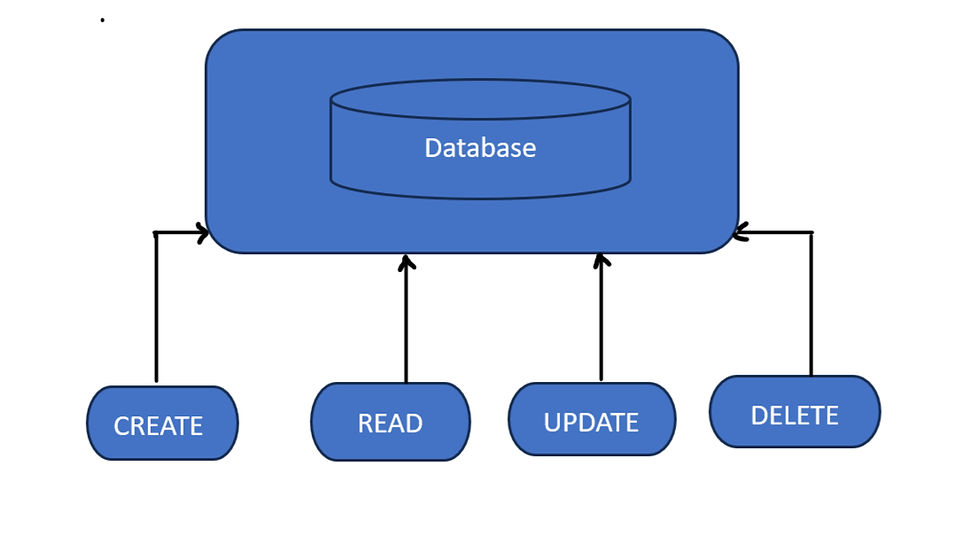
Database is a structured collection of data where all the information is organized in way to make it easy to manage, understand and access. It is achieved using DBMS which is a software system that manages database. Database can store all different types of data like alpha-numeric data (Text, Numbers), videos, images. Database is used in many applications to store customer information, Financial Transactions and other related data.
There are two types of database DBMS and RBMS
DBMS - Database Management System
RDBMS - Relational Database Management System
What is Table and How to create tables in PostgreSQL?
PostgreSQL table is an organized way to store and manage data .It consists of rows and columns. The number and order of the columns is fixed, and each column has a name.
Rows: Each row represents a record or instance of data.
Columns: Each column represents a specific attribute or field of that record.
Datatype: To create tables in PostgreSQL we need data and Datatype can be of following types:
- Boolean - True or False
- Character values includes char, Varchar
- Integer Values
- Floating decimal values
Constraints: Constraints in tables ensure data integrity and maintain relationship with other tables (eg: PRIMARY KEYS, FOREIGN KEYS, UNIQUE).
Schema: In schema related database objects are stored to together. The name spacing in schema prevents naming conflicts. It allows you to have objects with the same name in different schemas.
Manipulation: SQL statement INSERT, DELETE, SELECT, UPDATE are manipulated in the table to modify, add and retrieve data.
Creation: Tables are created using CREATE TABLE that defines datatype , constraints, columns and table name.
Partitions: Partition in PostgreSQL divides a large table into smaller , more manageable parts for improved execution and management.
How to create Database using pgAdmin GUI interface
pgAdmin is a graphical user interface(GUI) tool for PostgreSQL . It makes it easier to manipulate schema and data in PostgreSQL. pgAdmin interact with PostgreSQL servers for modifying, deleting database objects, and executing SQL queries
Step 1 :
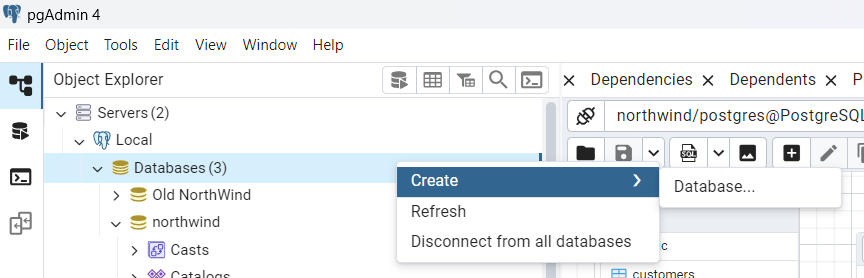
Open pgAdmin from the menu when you right-click on the Databases select Create-->Database
Step 2:
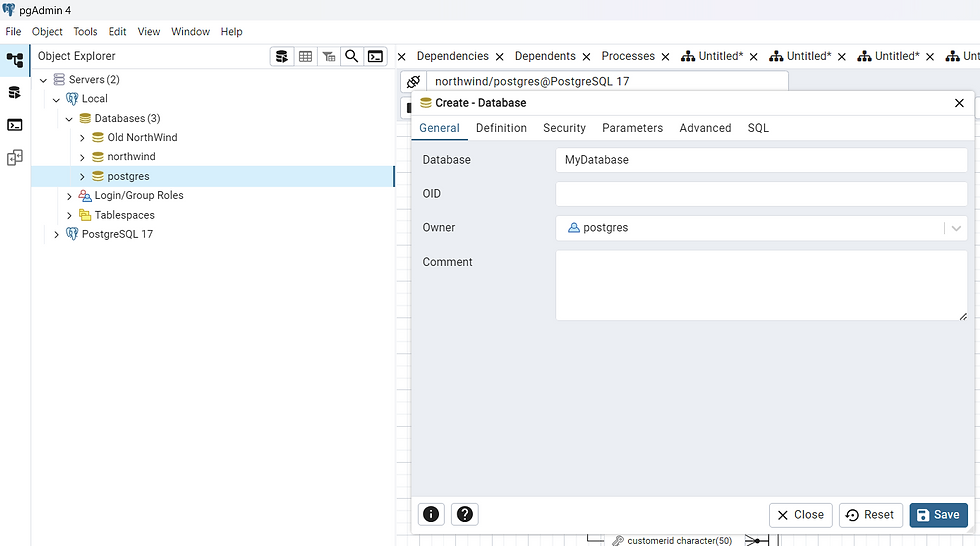
Create-Database dialogue will launch. Here you can enter a database name. To create this new database ,click save. postgres will be the default owner.
Step 3:
A newly created database will be listed by pgAdmin under the Databases node in the left pane, as seen below.
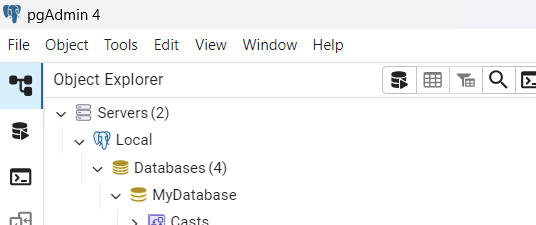
Step 4:
The database name can be expanded by clicking on it, as shown below.
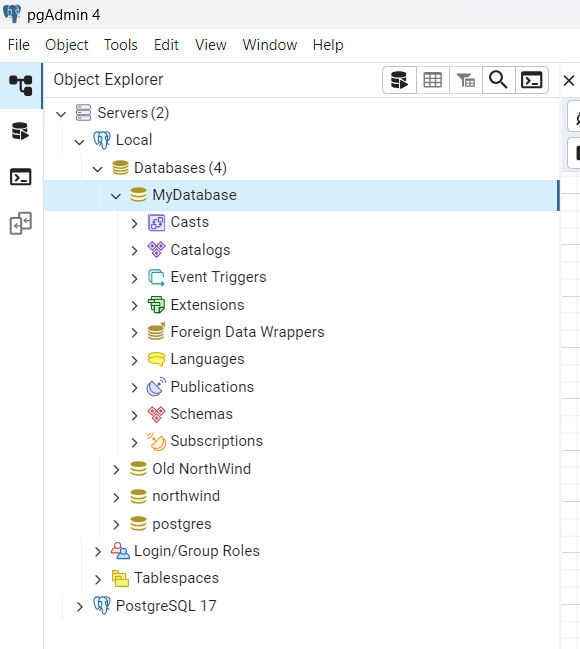
Step 5:
Right click on newly created database-->click Query Tool, as shown below
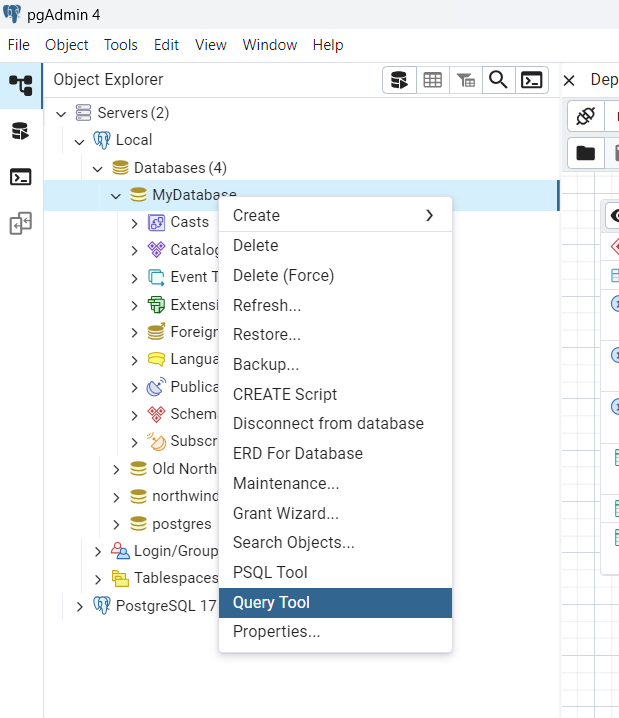
Step 6:
A new Query Tool is launched here. You can write your Queries and execute here.
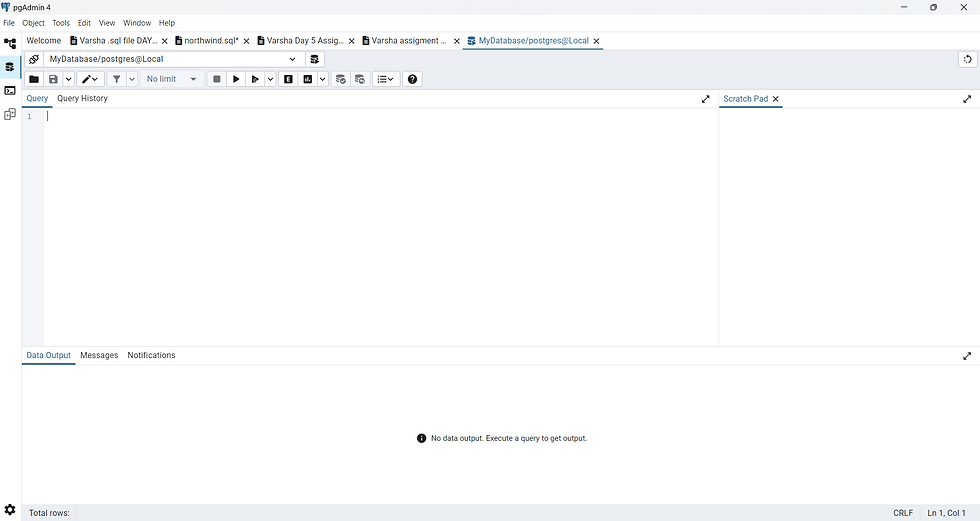
Now you can use a UI-based pgAdmin tool to build and configure a new database.
PostgreSQL Commands
A) Data Definition Language ( DDL)
Data Definition Language( DDL) in PostgreSQL is used to create and modify the structure of database objects like tables, schemas, indexes, and more. Common DDL commands include CREATE, ALTER, DROP, TRUNCATE, and RENAME.
Below is the common DDL commands and their actions:
DDL Commands:
CREATE: The CREATE TABLE Creates a new table in the data base. Ex: CREATE TABLE, CREATE SCHEMA,
CREATE INDEX.
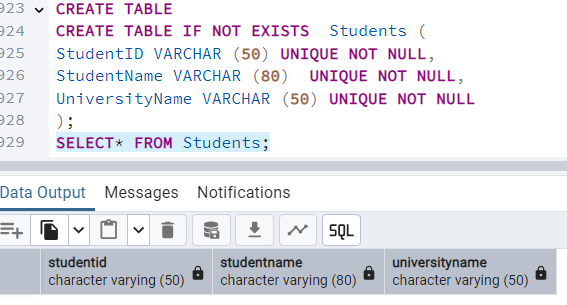
ALTER: The ALTER TABLE Modifies the structure by adding, modifying, deleting columns in an existing table. Examples: ALTER TABLE ADD COLUMN, ALTER TABLE DROP COLUMN, ALTER TABLE RENAME COLUMN.

DROP : The DROP TABLE is used to delete table from the database. Examples: DROP TABLE, DROP SCHEMA, DROP INDEX.

TRUNCATE : TRUNCATE TABLE is used to delete all data from a table while preserving the table structure

RENAME : The RENAME TABLE is used to change the name of a database object.

COMMENT: Used to add comments to database objects. To explain sections of SQL statement or to prevent execution of SQL statements.
B) Data Manipulation Language (DML)
Data Manipulation Language(DML) in PostgreSQL is a set of SQL commands used to manipulate data within a database, including inserting, updating, and deleting data in tables. Specifically, DML commands in PostgreSQL are SELECT, INSERT, UPDATE, and DELETE.
Below is the common DDL commands
SELECT: Select command is used to restore data from one or multiple tables. Ex (SELECT * FROM ORDERS)
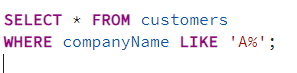
INSERT: Insert command is use to add one or multiple records to any table in a relational database. For example, INSERT INTO users (id, name, age) VALUES (9, 'Sam', 12); would insert a new user record with the specified values.

UPDATE: Update command is used to modify existing record within a table. For instance, UPDATE users SET UnitPrice = 1.10, WHERE CategoryID = 2; would update the order number of the user with CategoryID 2.
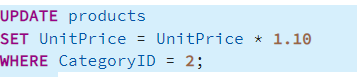
DELETE: Delete command removes data from a table. An example would be DELETE FROM users WHERE id = 10; which would delete the user record with ID 10.

MERGE : Merge performs actions that modify rows in the target table. MERGE actions have the same effect as regular UPDATE, INSERT, or DELETE commands of the same names.
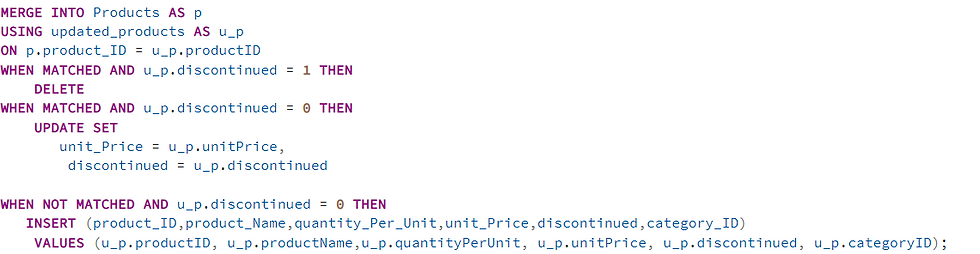
Transaction Control Language ( TCL)
Transaction Control Language ( TCL) in PostgreSQL is a loadable procedural language that enables the TCL language to be used to write PostgreSQL functions and procedures. TCL commands are important for maintaining ACID properties. These commands allow you to commit or discard changes, manage save points, and control the overall flow of data modifications.
BEGIN: It Starts a new transaction
COMMIT: Saves the changes during transaction and once it is commit in database we cannot get back in previous state, that means we cannot ROLLBACK
ROLLBACK: Undo the changes during transaction. Only those changes would be undo before the last COMMIT .
Thank You For Reading!


