PostgreSQL for Beginners: Your Superhero Guide to Mastering the Database Universe

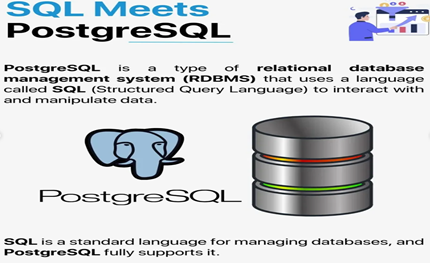
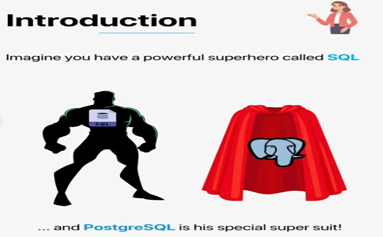
In the vast universe of databases, there’s a superhero that reigns supreme, quietly saving developers from the chaos of data management and empowering them with the tools they need to conquer their projects. This superhero is PostgreSQL – a powerful and versatile open-source relational database that’s ready to save your day, no matter the complexity of your data challenges.
Whether you’re a beginner just starting to explore the world of databases or you’re someone who wants to level up their database skills, PostgreSQL is your sidekick, and it’s about to give you all the powers you need to become a database hero yourself.
The Origin Story of PostgreSQL: The Birth of a Hero
Every superhero has an origin story, and PostgreSQL’s journey started back in the 1980s at the University of California, Berkeley. A group of brilliant minds led by Professor Michael Stonebraker began developing a groundbreaking relational database system called Postgres. They wanted to make a database system that could store and manage data more efficiently than ever before.
In the mid-1990s, this dream was realized, and PostgreSQL was born as an open-source successor to Postgres, ready to face the challenges of data management in a growing digital world. Over the years, PostgreSQL has evolved, becoming one of the most powerful and flexible database systems available today – trusted by developers, companies, and institutions all over the world.
What Makes PostgreSQL a Superhero? So, what exactly makes PostgreSQL a superhero in the world of databases? Well, let's dive into its superpowers and explain how these unique abilities can help you tackle data challenges like a true champion.
1. The Power of Data Integrity (ACID Compliance)
Imagine you’re running a huge online store, and you’re processing customer orders every second. What happens if a server crashes in the middle of a transaction? If you don’t have a hero database, things could go wrong – orders might get lost, or customers could be charged multiple times. But PostgreSQL swoops in to save the day!
PostgreSQL is ACID compliant, which means it follows the four key principles of Atomicity, Consistency, Isolation, and Durability. This ensures that every transaction – whether it’s an order, a payment, or a data update – is reliable and secure. Even if there’s a system crash, PostgreSQL guarantees that no half-finished operations will corrupt your data. It’s like having a superhero who ensures everything runs smoothly, even in a crisis.
2. The Ability to Handle Complex Queries (SQL Power)
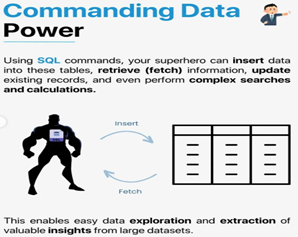
As a beginner, you might start with simple queries like fetching records or inserting new data. But as your projects grow, you'll need to execute complex queries to join data from multiple tables, filter results, and aggregate large amounts of information. PostgreSQL has superhuman abilities in handling all of these challenges!
• Joins: Need to combine data from multiple tables? No problem! PostgreSQL can execute inner joins, outer joins, self joins, and more to bring data together in a meaningful way.
• Aggregation: Whether you're calculating averages, sums, or other statistics from your data, PostgreSQL’s powerful aggregation functions will make those calculations a breeze.
• Subqueries and Nested Queries: You’ll often need to break down a problem into smaller, manageable parts. PostgreSQL can handle subqueries and nested queries, allowing you to retrieve your data retrieval in more sophisticated ways.
3. The Power of Extensibility (Custom Superpowers)
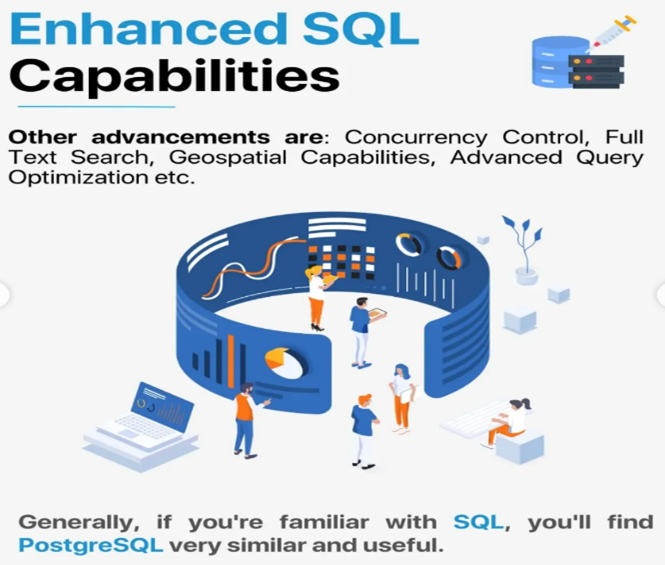
One of PostgreSQL’s most impressive superpowers is its ability to extend its capabilities. Imagine you need to perform a specific operation that the database doesn’t do out of the box. With PostgreSQL, you can create custom functions, data types, and even operators. This makes PostgreSQL a superhero that can tailor itself to fit any situation.
For example:
• You can build your own functions to automate specific calculations or actions.
• Need to add a new data type (like handling geographical data)? PostgreSQL lets you do that too.
This extensibility means that no matter what problem you face, PostgreSQL can adapt and add the necessary tools to tackle it.
4. The Power of JSON Support (NoSQL Capabilities)
Not all data fits perfectly into tables. Sometimes, you need to store semi-structured data, such as documents, JSON objects, or data that doesn’t follow a strict format. But wait – PostgreSQL is prepared for this too!
PostgreSQL has JSON and JSONB support, which means you can store and query JSON data just like any other data type. This gives you the flexibility of NoSQL databases (like MongoDB), while still enjoying the reliability and power of a relational database.
This power makes PostgreSQL incredibly versatile – perfect for projects where you need to manage both structured and semi-structured data in one place.
5. Super Speed and Scalability
Every superhero needs to be fast, and PostgreSQL delivers on this front as well. Whether you're dealing with thousands of rows of data or millions, PostgreSQL ensures that your queries run quickly and efficiently. It has advanced techniques like indexing (helping it find the right data fast), and parallel query execution (splitting a query into multiple tasks to be handled simultaneously).
As your database grows, PostgreSQL ensures you don’t slow down – just like a superhero that can keep up with a speeding train!
6. The Shield of Security
When you’re managing data, security is always a top priority. PostgreSQL provides several built-in security features to keep your data safe, including:
• Role-based authentication: You can create roles with different permissions, ensuring that only authorized users can access certain data.
• Encryption: Whether your data is traveling over the network or stored on disk, PostgreSQL has built-in encryption options to keep everything secure.
These security features ensure your data is well-protected – no villains are getting past this hero!
How to Become a PostgreSQL Hero: A Beginner's Guide
Now that you know what makes PostgreSQL such a powerful database superhero, let’s dive into some beginner-friendly steps to start using PostgreSQL in your own projects.
Step 1: Install PostgreSQL
Before you can begin harnessing PostgreSQL’s powers, you need to install it on your computer or server. Fortunately, PostgreSQL’s installation process is simple and well-documented for all operating systems (Windows, macOS, Linux).
• Windows: Download the installer from the official website.
• macOS: Use Homebrew or download from the official website.
• Linux: Use the package manager (such as apt for Ubuntu or dnf for CentOS).
Steps to Install PostgreSQL on Windows
There are three crucial steps for the installation of PostgreSQL as follows:
1. Download PostgreSQL installer for Windows
2. Install PostgreSQL
3. Verify the installation
Step 1: Downloading PostgreSQL Installer for Windows
You can download the latest stable PostgreSQL Installer specific to your Windows by clicking here.
Step 2: Installing the PostgreSQL installer
After downloading the installer double click on it and follow the following steps:
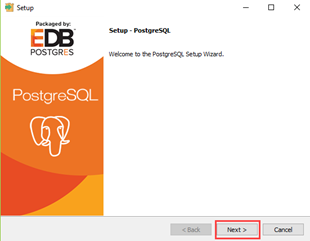
• Click the Next button.
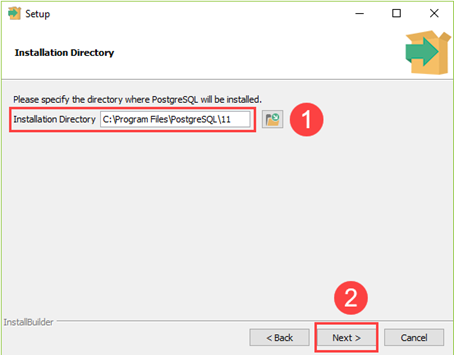
• Choose the installation folder, where you want PostgreSQL to be installed, and click Next.
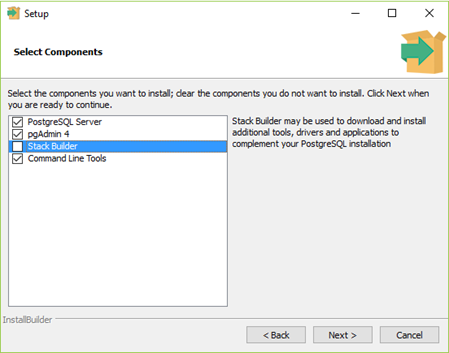
• Select the components as per your requirement to install and click the Next button.
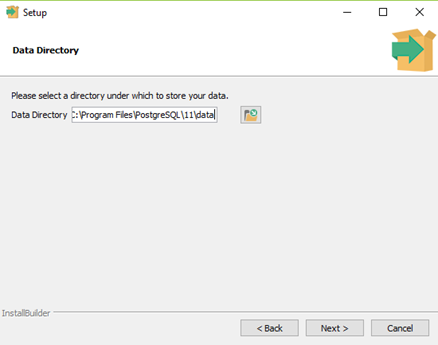
• Select the database directory where you want to store the data and click Next.
• Set the password for the database superuser (Postgres).

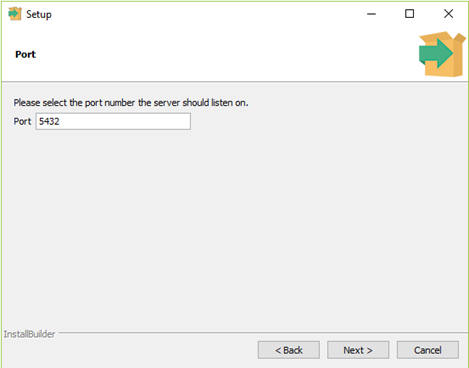
• Set the port for PostgreSQL. Make sure that no other applications are using this port. If unsure leave it to its default (5432) and click on Next.
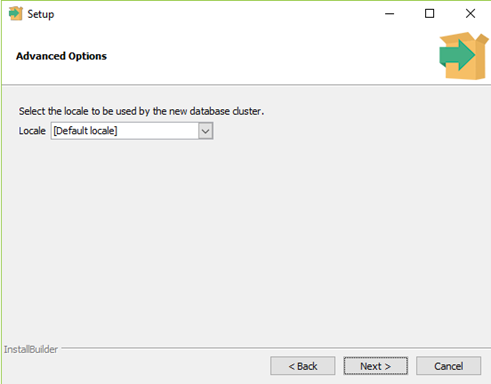
• Choose the default locale used by the database and click the Next button.
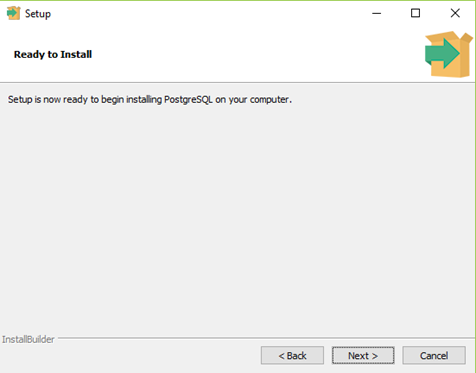
• Click the Next button to start the installation.
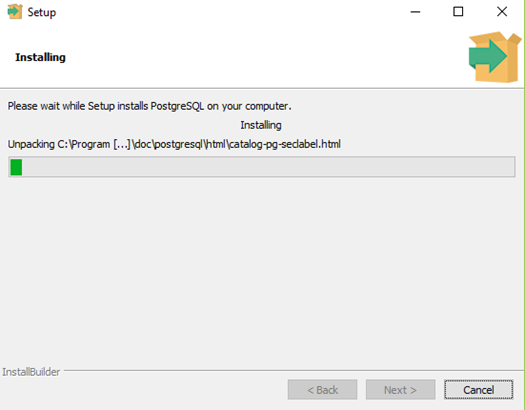
• Wait for the installation to complete, it might take a few minutes.
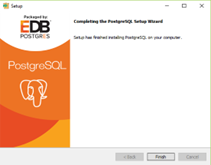
• Click the Finish button to complete the PostgreSQL installation.
Step 3: Verifying the Installation of PostgreSQL
There are couple of ways to verify the installation of PostgreSQL, like connecting to the database server using some client applications like pgAdmin or psql.
The quickest way though is to use the psql shell. For that follow the below steps:
• Access psql Shell:
o Search for “psql” in the Windows search bar and open it.
o Enter server details (localhost), database (default “Postgres”), port (default 5432), username (Postgres), and the password you set during installation.
• Check Installation:
o In the psql shell, enter ‘SELECT version();’ to confirm PostgreSQL is installed correctly. You should see version information displayed.
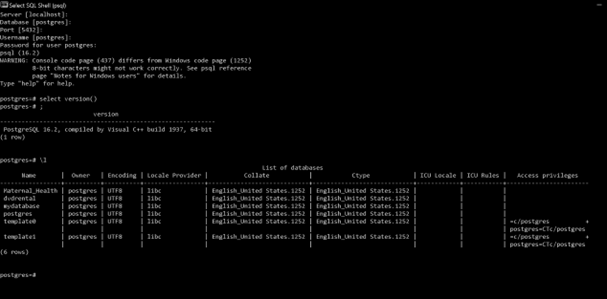
Once installed, you’ll be ready to interact with PostgreSQL using tools like pgAdmin (a GUI for PostgreSQL) or the psql command-line tool.
Step 2: Create Your First Database
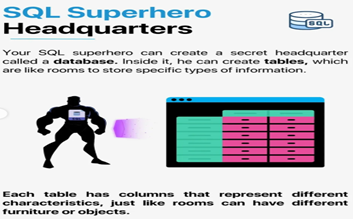
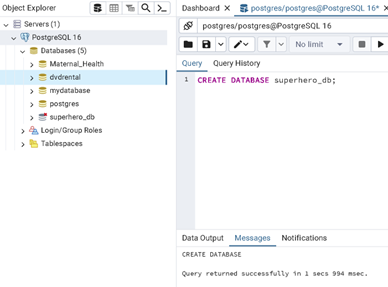
After installation, it’s time to create your first database. You can do this by running a simple command in the psql terminal:
CREATE DATABASE superhero_db;
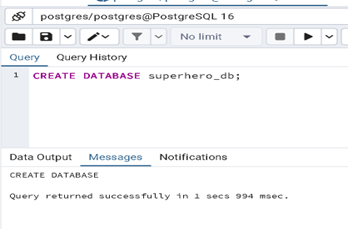
Now, you have your own database where you can start storing data!
Step 3: Create Tables and Insert Data
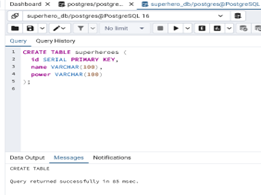
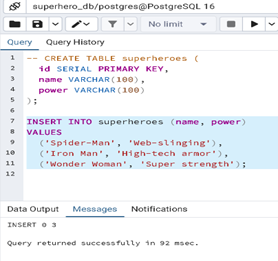
With your database ready, you can create tables to store your data. For example, let’s create a simple table for storing information about superheroes:
CREATE TABLE superheroes (
id SERIAL PRIMARY KEY,
name VARCHAR(100),
power VARCHAR(100)
);
Next, let’s insert some superhero data into the table:
INSERT INTO superheroes (name, power)
VALUES
('Spider-Man', 'Web-slinging'),
('Iron Man', 'High-tech armor'),
('Wonder Woman', 'Super strength');
Step 4: Query Your Data
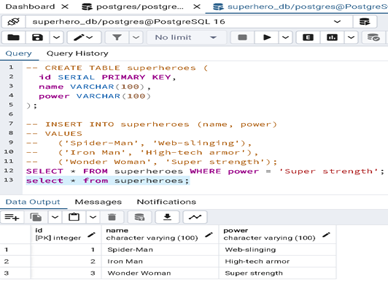
Now that you’ve added some data, you can start querying it. For example, let’s fetch all superheroes who have super strength:
SELECT * FROM superheroes WHERE power = 'Super strength';
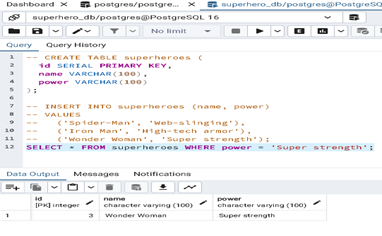
This query will return the superhero “Wonder Woman” from our table, showing how you can use SQL to retrieve and manipulate data.
Step 5: Learn More and Explore
As you continue your journey with PostgreSQL, you’ll unlock more advanced features, such as:
• Joins: Combine data from multiple tables.
• Indexes: Speed up data retrieval.
• Aggregations: Perform calculations on your data
Conclusion: PostgreSQL – Your Trusty Sidekick in the Database World
Congratulations, you’ve just begun your journey into the world of PostgreSQL, and already you have access to an incredibly powerful and flexible database system that can handle all your data needs.
With PostgreSQL’s superpowers of data integrity, complex query handling, extensibility, JSON support, and security, you now have the tools to create dynamic, scalable, and reliable applications.
So, whether you’re building your first app or working on a complex project, remember: PostgreSQL is always there to save the day. Keep learning, keep experimenting, and soon you’ll be a database superhero in your own right! 🦸♂️🦸♀️
Thank you so much for taking the time to read my blog! I truly appreciate your support and interest in my content.


