"Optimizing and Managing Transactions in SQL Stored Procedures for Peak Performance"

Stored Procedure
A stored procedure is a precompiled block of SQL statements that is stored and executed on the database server. It is essentially a reusable program that can be called to perform specific tasks, such as inserting, updating, or retrieving data from a database. Stored procedures can be written to accept parameters, return values, and even include conditional logic, making them a powerful tool for managing complex database operations.
Understanding Transactions in Stored Procedures in SQL
A transaction in SQL is a sequence of operations performed as a single logical unit of work. A transaction ensures that either all the operations are successfully executed or none of them are executed, maintaining data consistency and integrity in the database. Transactions are particularly useful in scenarios where multiple SQL statements must succeed or fail together. When combined with stored procedures, transactions allow developers to encapsulate complex operations and ensure they are executed atomically.
Key Properties of Transactions (ACID)
Transactions are governed by the ACID properties, ensuring reliability:
Atomicity:
All operations in a transaction are completed; otherwise, none are applied.
Consistency:
The database transitions from one valid state to another valid state.
Isolation:
Concurrent transactions do not interfere with each other.
Durability:
Once a transaction is committed, changes are permanent, even in case of a system failure.
Transaction Control Statements
BEGIN TRANSACTION:
Starts a transaction.
COMMIT:
Saves all changes made during the transaction to the database.
ROLLBACK:
Undoes all changes made during the transaction if an error occurs.
Transactions Used in Stored Procedures
Stored procedures often execute multiple SQL statements. Using transactions ensures that the entire procedure succeeds or fails as a unit. For example:
Inserting data into multiple related tables.
Transferring
Processing and updating
Here’s the sample stored procedure using transactions
Query to create the employee table
CREATE TABLE employee (
e_name VARCHAR(50),
e_id INT PRIMARY KEY,
e_join_date DATE,
e_salary DECIMAL(10, 2),
e_designation VARCHAR(50)
);

Purpose of the Table
The employee table is designed to store essential information about employees in an organization, including:
Name (e_name): The employee's full name.
ID (e_id): A unique identifier for each employee, ensuring no duplicates.
Joining Date (e_join_date): The date when the employee started working.
Salary (e_salary): The employee's salary in decimal format.
Designation (e_designation): The employee's job title or position.
Query to Insert 10 records into the employee table
INSERT INTO employee (e_name, e_id, e_join_date, e_salary, e_designation) VALUES
('Alice Johnson', 101, '2020-03-15', 65000.00, 'Software Engineer'),
('Bob Smith', 102, '2019-07-10', 72000.00, 'Senior Developer'),
('Charlie Brown', 103, '2021-01-20', 55000.00, 'QA Analyst'),
('David Wilson', 104, '2018-11-05', 80000.00, 'Team Lead'),
('Eve Carter', 105, '2022-06-01', 60000.00, 'Business Analyst'),
('Frank Miller', 106, '2020-09-10', 75000.00, 'Project Manager'),
('Grace Lee', 107, '2021-12-01', 58000.00, 'UI/UX Designer'),
('Hannah Davis', 108, '2017-05-15', 90000.00, 'Technical Architect'),
('Ian White', 109, '2023-01-10', 50000.00, 'Intern'),
('Julia Green', 110, '2016-08-20', 95000.00, 'Director');
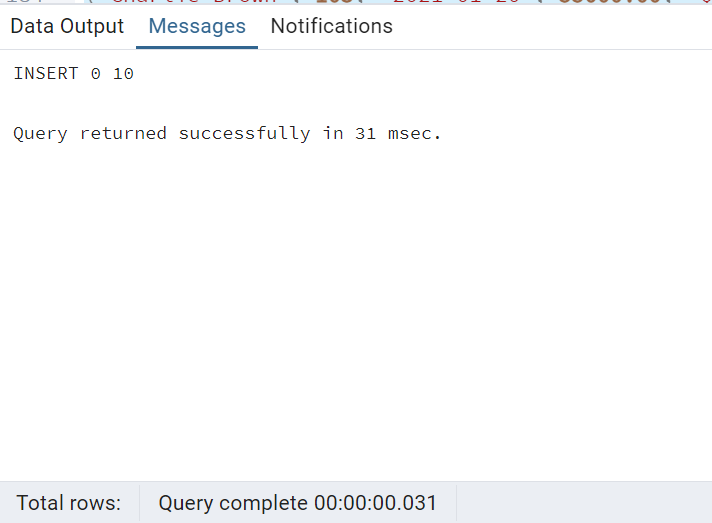
Purpose of the Query
This query serves to populate the employee table with initial or sample data. It ensures that the table has realistic data for testing, reporting, or further operations such as querying, updating, or deleting records.
Query to View the inserted employee table
select * from employee
The SQL query SELECT * FROM employee; retrieves all columns and all rows from the employee

The output shown is the result of the INSERT into SQL query that populates the employee table.
Query to Create a Transaction
CREATE OR REPLACE PROCEDURE table_manipulation_transaction(
IN emp_name VARCHAR,
IN emp_id INT,
IN emp_join_date VARCHAR,
IN emp_salary DECIMAL(10, 2),
IN emp_designation VARCHAR
)
LANGUAGE plpgsql
AS $$
BEGIN
INSERT INTO employee (e_name, e_id, e_join_date, e_salary, e_designation)
VALUES (emp_name, emp_id, emp_join_date::DATE, emp_salary, emp_designation);
DELETE FROM employee WHERE e_salary > emp_salary;
UPDATE employee
SET e_salary = 60000.00
WHERE e_id = emp_id;
IF NOT FOUND THEN
RAISE EXCEPTION 'Employee ID % not found to update the salary', emp_id;
END IF;
IF emp_name IS NULL THEN
RAISE EXCEPTION 'Employee name should be provided';
END IF;
EXCEPTION
WHEN OTHERS THEN
RAISE NOTICE 'Transaction rolled back due to an error: %', SQLERRM;
RAISE;
END;
$$;
This query defines a stored procedure in PostgreSQL called table_manipulation_transaction. It is designed to manipulate the employee table by inserting a new record, deleting certain records, updating a record, and enforcing specific conditions.
Use Cases
The procedure can be used for:
Insert a New Employee: It adds a new employee to the table.
Delete High-Salary Employees: Employees with a salary greater than the input salary are deleted.
Update an Employee's Salary: Sets the salary of the employee with the provided ID to 60000.00.
Data Integrity: Ensures that emp_name is not NULL and validates the existence of the employee ID before updating.
Example Output
The employee 'Sharon Judes' with e_id = 120 is inserted.
Any employees with a salary greater than 80000.00 are deleted.
The salary of the employee with e_id = 120 is updated to 60000.00.
Query to Commit
BEGIN;
CALL table_manipulation_transaction('Sharon Judes', 120, '2016-08-20', 80000.00, 'Manager');
COMMIT;
The query executes a stored procedure (table_manipulation_transaction) inside a transaction block.
Key Advantages
Atomicity: The transaction ensures that all operations (insert, delete, update) are treated as a single unit. If any step fails, the entire transaction is rolled back.
Consistency: Prevents partial changes to the database, maintaining its integrity.
Error Handling: By catching and logging errors in the procedure, issues can be diagnosed while ensuring data integrity.
Changes:
Inserted: Sharon Judes is added to the table.
Deleted: Bob is deleted because e_salary = 90000.00 > 80000.00.
Updated: The salary for Sharon Judes (e_id = 120) is updated to 60000.00.

Conclusion
This query implements a structured and error-resilient approach to managing employee records. Its transactional design ensures that the database remains consistent and free from partial changes in case of errors. It is suitable for scenarios where multiple interdependent operations are required, and data integrity is critical.


