Masterclass: Setting Up Dynamic ‘.env’ Files in a Playwright BDD Framework

In a real-world Playwright BDD framework, hardcoding URLs or credentials is a major "no-go". To build a secure, scalable automation suite, you need a system that handles environment variables efficiently. In this guide, I’ll show you how to set up a professional multi-environment system using dotenv.
Why Use .env Files in Playwright BDD?
Storing configuration values outside of your test code is an industry best practice for several reasons:
Security: It keeps sensitive secrets like passwords out of your GitHub or GitLab repositories.
Flexibility: You can switch between Staging, QA, or Production environments with a single command.
Collaboration: It allows every developer to maintain their own unique local configurations.
Step 1: Installation and Setup
To begin, we need the dotenv library, which allows Node.js to read our custom environment files. Open your terminal at the project root and run:
npm install dotenv
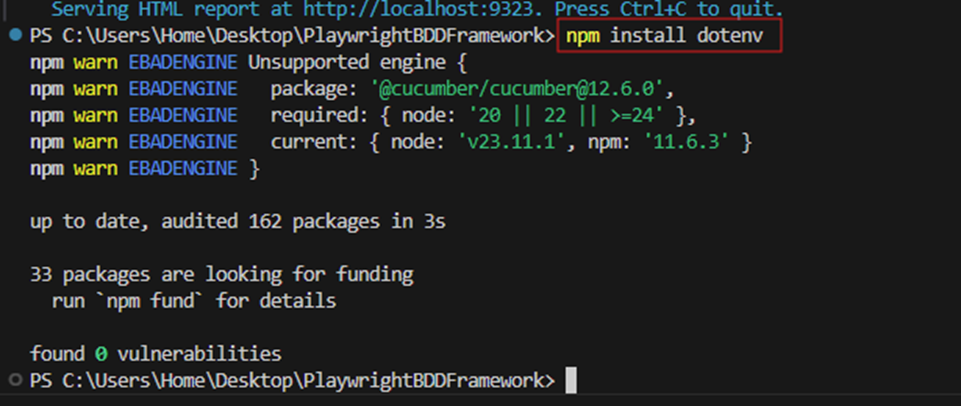
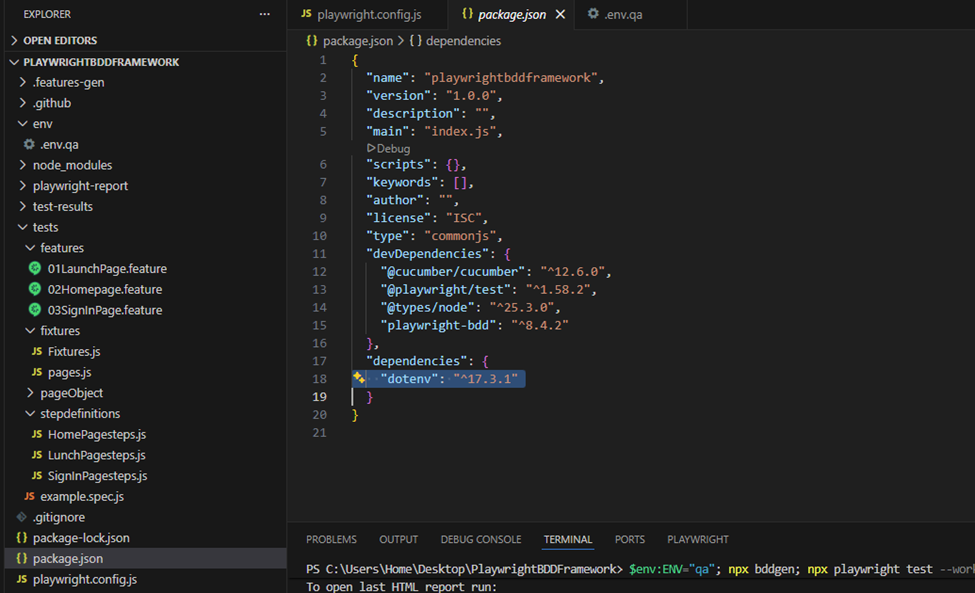
Once installed, you can verify it in your package.json file under the dependencies section.
Step 2: Organize Your Environment Files
Rather than using a single generic file, we will create a dedicated folder to hold different configurations.
Create a folder named env in your project root.
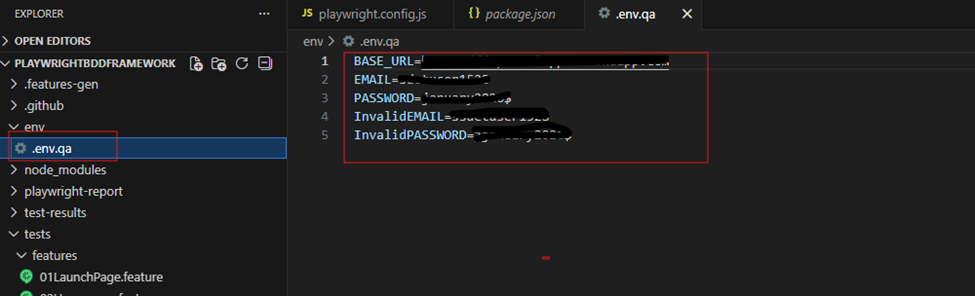
Inside this folder, create a file named .env.qa.
Add your environment-specific variables, such as BASE_URL, EMAIL, and PASSWORD.
File: env/.env.qa
Step 3: Integrating with playwright.config.js
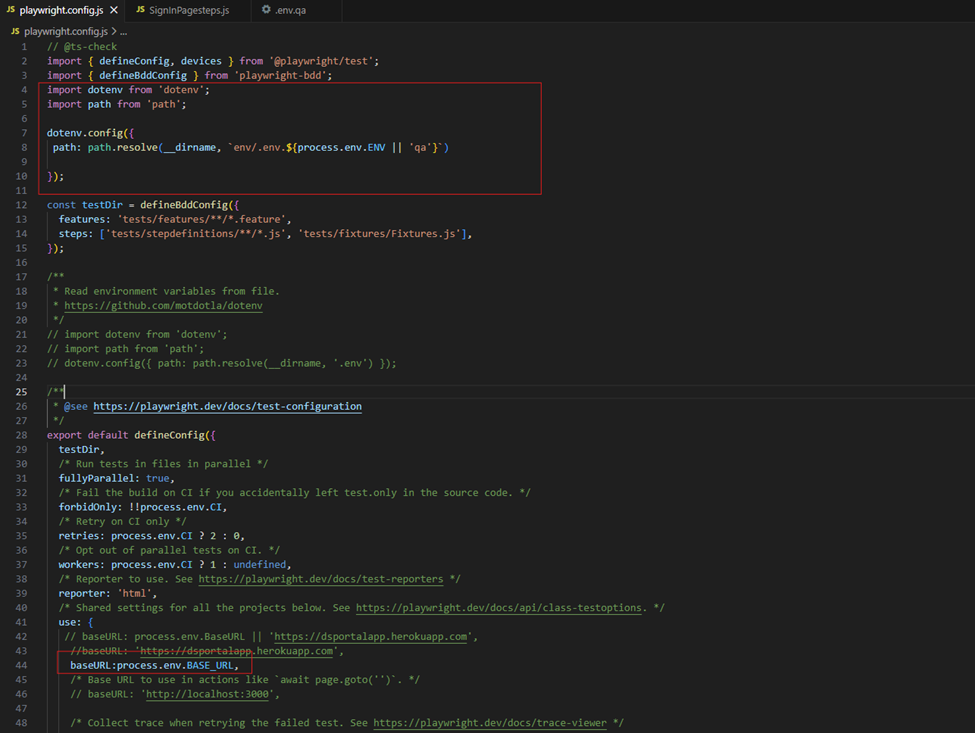
This is where the magic happens. We need to tell Playwright to look into our env folder and select the correct file based on a variable called ENV.
import dotenv from 'dotenv';
import path from 'path';
dotenv.config({
path: path.resolve(__dirname, `env/.env.${process.env.ENV || 'qa'}`)
});
use: {
baseURL: process.env.BASE_URL,
}
Step 4: Using Variables in Your BDD Steps
By setting the baseURL in the config, your "Given" steps become much cleaner. You can then call specific credentials directly from the environment file within your step definitions.
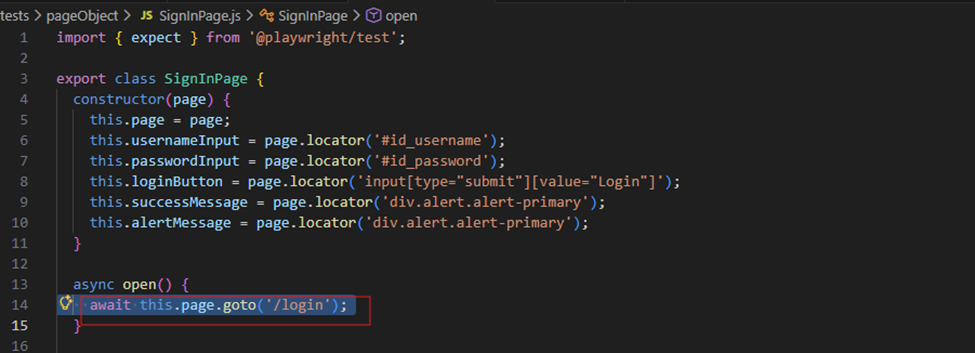
Example Step Definition:
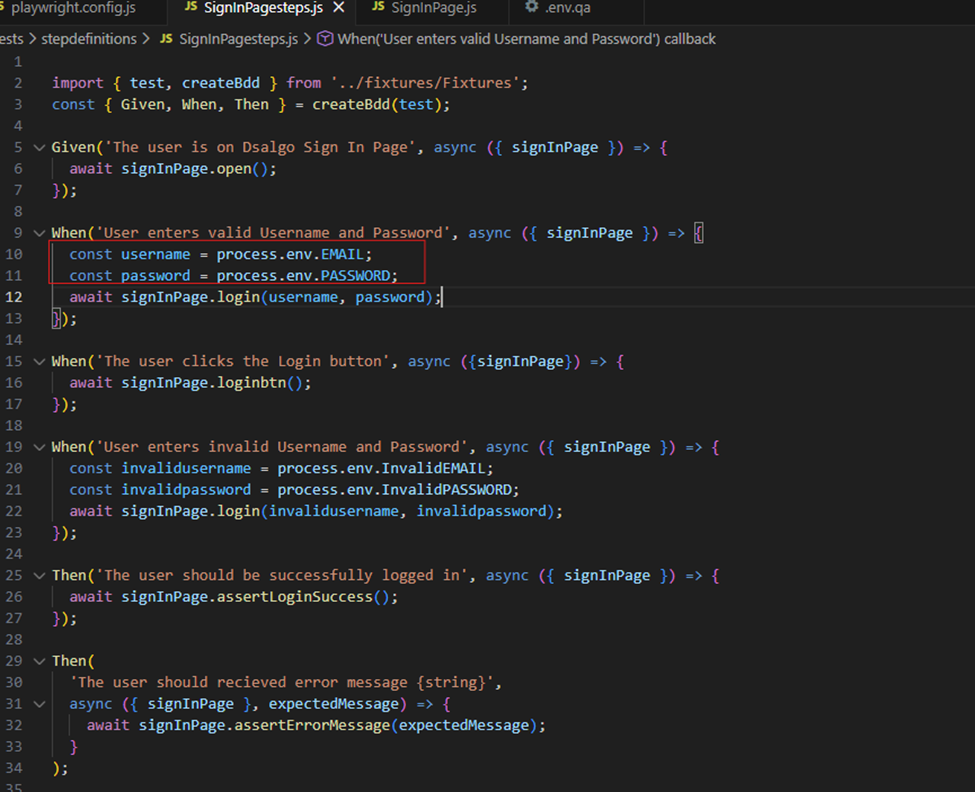
Step 5: Running Tests and Generating Reports
The most powerful part of this setup is the ability to switch environments via the terminal without changing any code.
To run your tests against the QA environment with parallel workers, use:
$env:ENV="qa"; npx bddgen; npx playwright test --workers=4
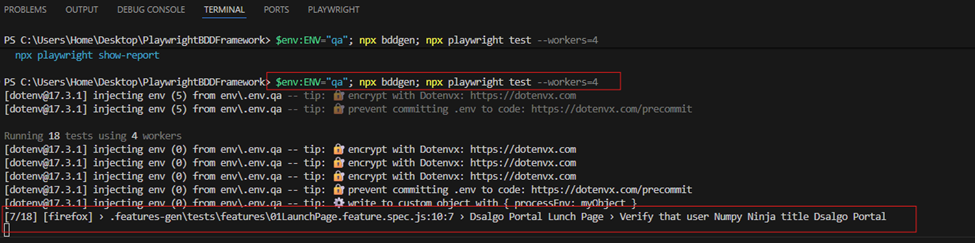
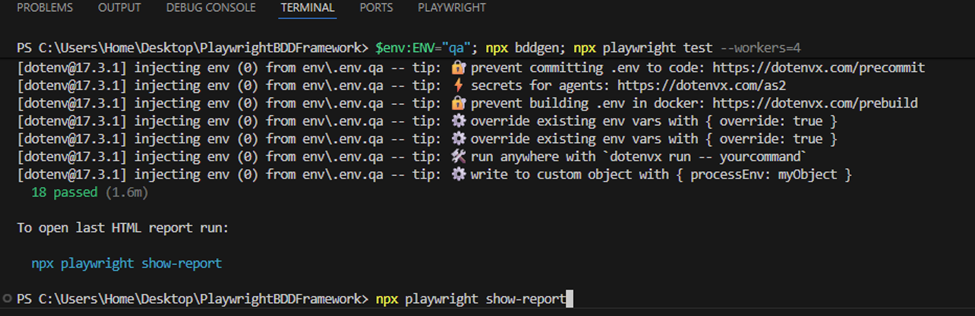
Once the tests are complete, you can generate and view your detailed results with this command:
npx playwright show-report
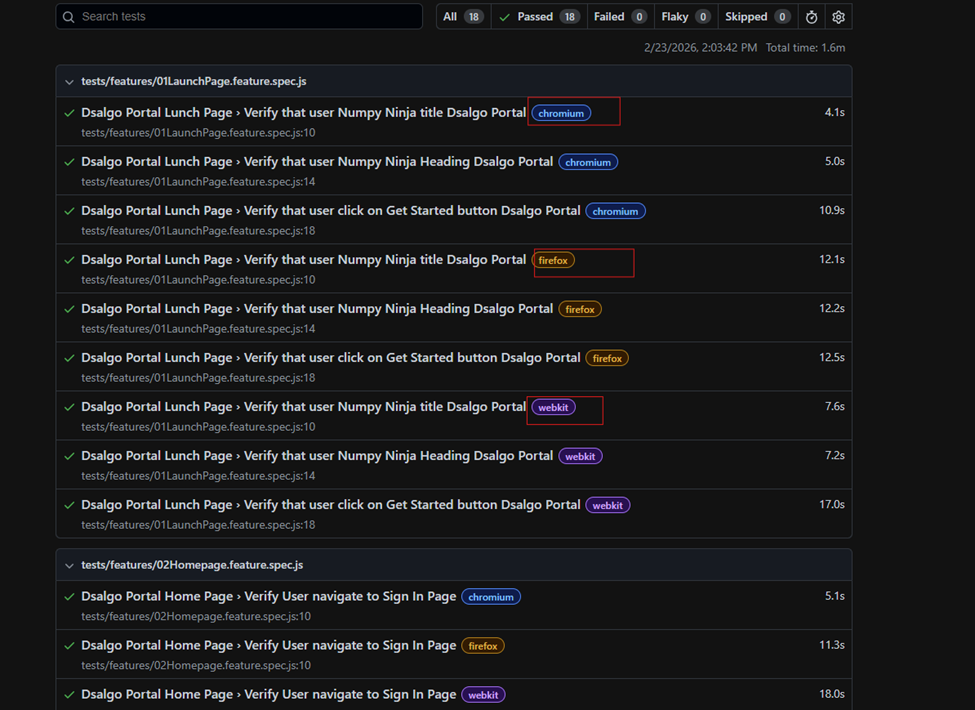
Setting up a dynamic environment system is a game-changer for any QA Engineer. It makes your Playwright BDD framework more secure, portable, and professional.
Happy Testing!


