Implementing Cross-Browser Testing Using TestNG
As software development moves faster, testing also needs to keep up. Running tests one at a time on a single browser can slow things down and miss browser-specific issues. That’s why modern automation focuses on testing across multiple browsers and getting quick feedback through CI/CD pipelines.
In this blog, I’ll explain how we implemented cross-browser testing with parallel execution using the TestNG framework, and how this approach helped us reduce execution time while improving test coverage.
The Need for Cross-Browser and Parallel Testing:
As our application grew, so did the need for faster and more reliable testing. Our automation strategy focused on three key goals:
Ensure consistent behavior across multiple browsers, so users get the same experience everywhere
Reduce test execution time by running tests in parallel instead of one by one
Support seamless CI/CD execution, allowing quick feedback with every build
TestNG fits perfectly into this approach. With its built-in support for parameterization and parallel execution, it enables us to design a scalable and efficient automation framework without adding unnecessary complexity.
Let’s start with my Framework Folder Structure,

Framework Overview
Tech Stack Used
We used a simple and widely used set of tools to build our automation framework:
Java – Programming language used to write test scripts
Selenium WebDriver – Used to automate browser actions
TestNG – Helps organize tests and run them efficiently
Maven – Manages project dependencies and test execution
Jenkins – Used to run tests automatically in CI/CD pipelines
These tools work together to make test automation reliable and easy to manage.
Framework Design
The framework is designed in a clear and organized way so beginners can understand and maintain it easily:
Driver Factory → Responsible for opening the browser
Base Test → Handles common setup and cleanup tasks
Test Classes → Contains only the actual test steps and validations
This clear separation keeps the code clean, avoids confusion, and makes it easier to update or add new tests in the future.
Cross-Browser Testing with TestNG:
What is Cross-Browser Testing?
Cross-browser testing means running your test cases on different web browsers (Chrome, Firefox, Edge, Safari) to ensure your website works correctly everywhere.
Why is it important?
Users access your site from different browsers
Each browser may render pages differently
Bugs might appear only in specific browsers

How I Implemented Cross-Browser Testing in My Framework:
My Base Test Class - The Foundation
Think of Base Test as the parent class that all my test classes inherit from. It handles all the setup work so my tests can focus on actual testing.
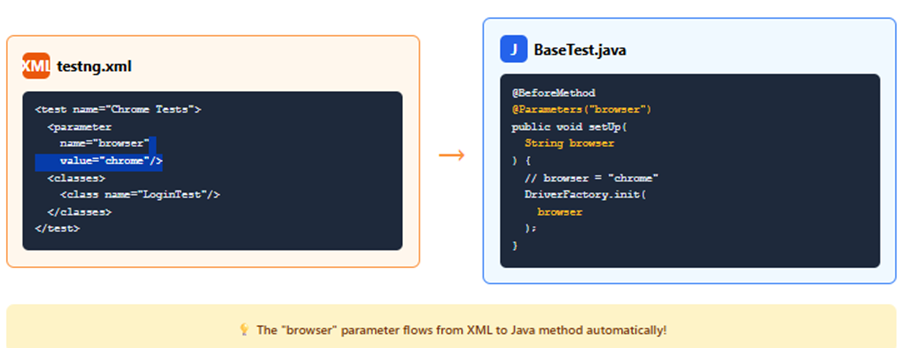
With @Parameters, you write the test once and tell it which browser to use through an XML file.
With Test Groups, each test tells the setup method: "Here's what I need!"

1. Test says: "I need loginRequired"
2. BaseTest checks: "Found loginRequired group!"
3. BaseTest decides: launchRequired=YES, loginRequired=YES
4. BaseTest executes: Browser → Launch → Login
5. Test runs successfully ✓





What is Thread Local?
Thread Local is a special type of variable that gives each thread its own separate copy of the data. Even though the variable has the same name, each thread sees and modifies only its own version, never affecting what other threads see.
private static ThreadLocal<BasePage> context = new ThreadLocal<>();
Think of it as:
- 3 people (browsers) working at the same time
- Each person needs their own desk (context)
- ThreadLocal gives each person their own isolated desk
Without ThreadLocal:
Chrome test and Firefox test fight over same data ❌
With ThreadLocal:
Chrome test has its own data ✅
Firefox test has its own data ✅
No conflicts! ✅
Summary
My BaseTest class is the backbone of cross-browser testing. It:
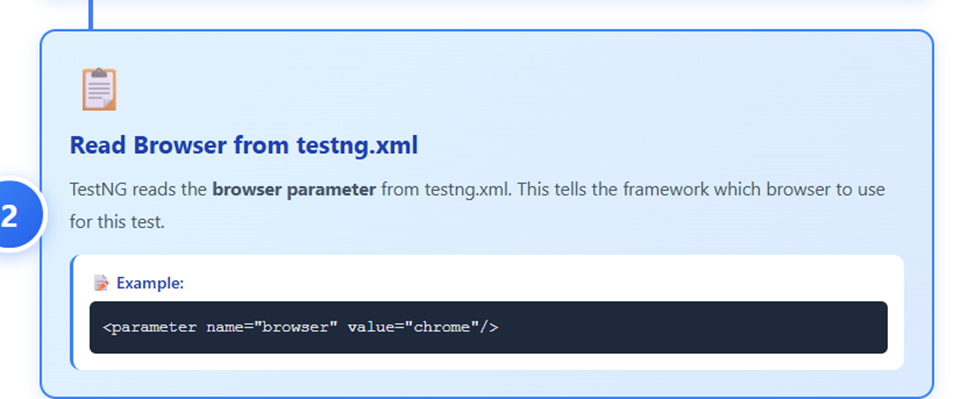
✅ Reads browser from testng.xml
✅ Opens the correct browser
✅ Does smart setup based on test needs
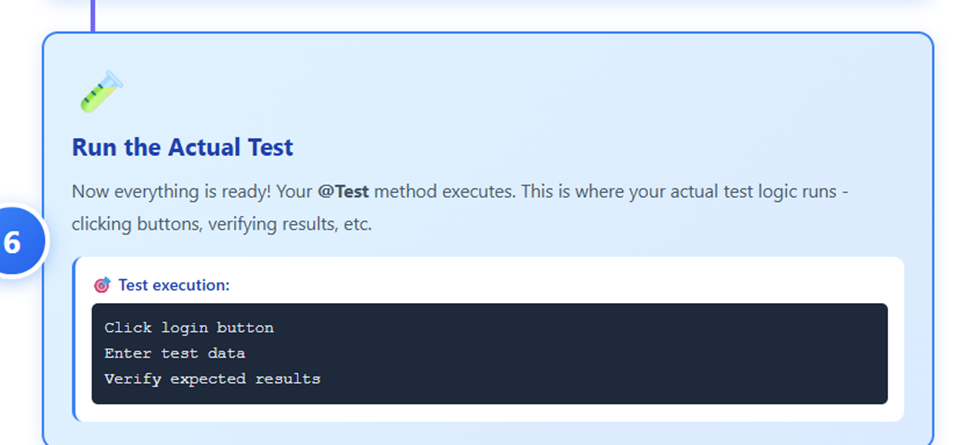
✅ Runs tests
✅ Cleans up properly
✅ All automatically!
Result: I write tests once; they run on multiple browsers with zero code changes.
Conclusion
We've explored the fundamentals of cross-browser testing with TestNG, from configuring multiple browser environments and analyzing results across different platforms. With these techniques, you can now ensure consistent user experiences across all major browsers.
I hope this guide has equipped you with the knowledge to build a comprehensive cross-browser testing strategy for your projects.
Thank you for reading! If you have questions or want to share your cross-browser testing experiences, drop a comment below. Until next time, happy testing!


