Cleaning dataset with SQL: From Raw to Refined

Updated: May 28, 2025
In the world of data analytics and engineering, dirty data is inevitable and cleaning it is often the most crucial step before any meaningful analysis or modeling can begin.
While Python and R often steal the spotlight for data prep, SQL remains the backbone for cleaning large- scale, structured data directly within relational databases. in this post, we'll walk through technical, real world approaches to cleaning data using SQL, covering everything from handling duplicates and standardize data. also use windows function and subqueries to clean data

What is Data Cleaning?
Data cleaning is the process of detecting and correcting or removing inaccurate, incomplete, inconsistent or irrelevant data from a database or dataset. The goal is to improve data quality, ensure data integrity, and make dataset reliable for analysis, reporting, or machine learning.
Why Clean data in SQL?
SQL is widely used for storing, querying, and managing structured data in relational databases. Cleaning data directly in SQL offers several advantages:
Efficiency: SQL operates directly on the data in the database, reducing the need for exporting/importing.
Scalability: Ideal for cleaning large datasets.
Integration: Seamlessly integrates with BI tools, data pipelines, and ETL processes.
Reproducibility: SQL scripts are reusable and version - controllable.
Key Data Cleaning techniques in SQL
Removing Duplicates
Standardize Data
Trimming white Spaces
Correcting Data Types
Removing Unwanted Columns
Dataset overview
Dataset which i am going to use here - contains information about employee layoffs in a company, It has total 9 columns and almost 2361 rows . If you want to practice data cleaning. Please download .CSV
I am using postgres/ pgadmin for data cleaning
Step 1: Create database
CREATE DATABASE dataclean;Step 2: Create Table company_employee
CREATE TABLE IF NOT EXISTS company_employee (
    company TEXT NOT NULL,
    location TEXT NOT NULL,
    industry TEXT,
    total_laid_off DOUBLE PRECISION,
    percentage_laid_off DOUBLE PRECISION,
    date TEXT,
    stage TEXT,
    country TEXT,
    funds_raised_millions DOUBLE PRECISION,
)
Step 3: Import .csv file from local to database
COPY company_employee
FROM 'C:\provide_your_local_file_path\company_employee.csv'
DELIMITER ','
CSV HEADER
NULL 'NULL';
Step 4: Retrieve data
SELECT * FROM company_employee;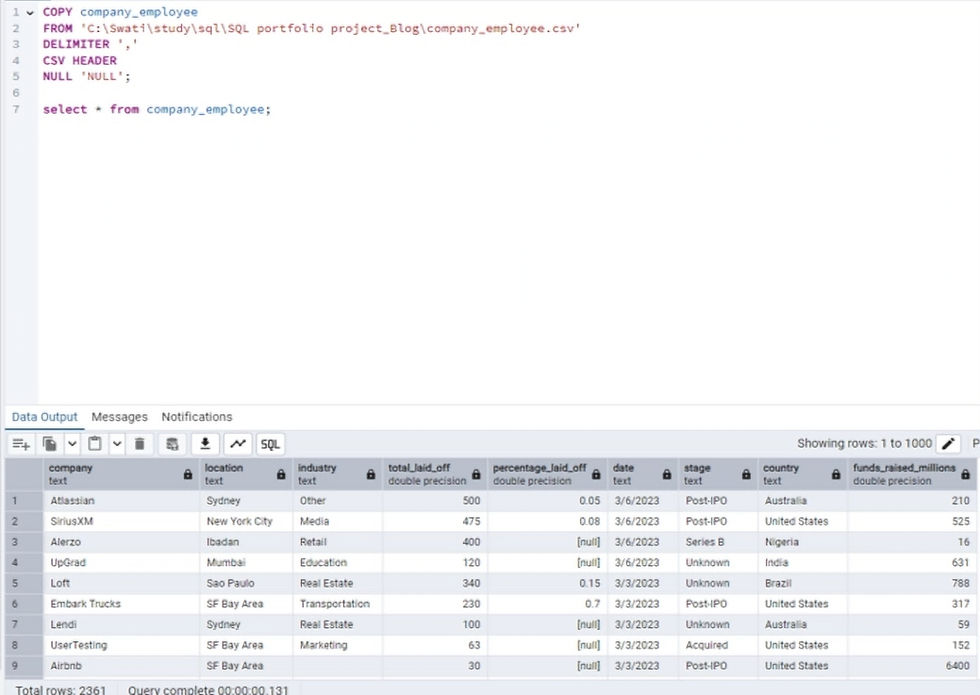
Step 5: Creating duplicate table "company_employee_staging"
Note: It is good practice to create dummy table instead of working on raw table, i am creating company_employee_staging and duplicating company_employee table
CREATE TABLE company_employee_staging AS
SELECT * FROM  company_employee;
Step 6: Retrieve new dataset "company_employee_staging"
SELECT * FROM company_employee_staging;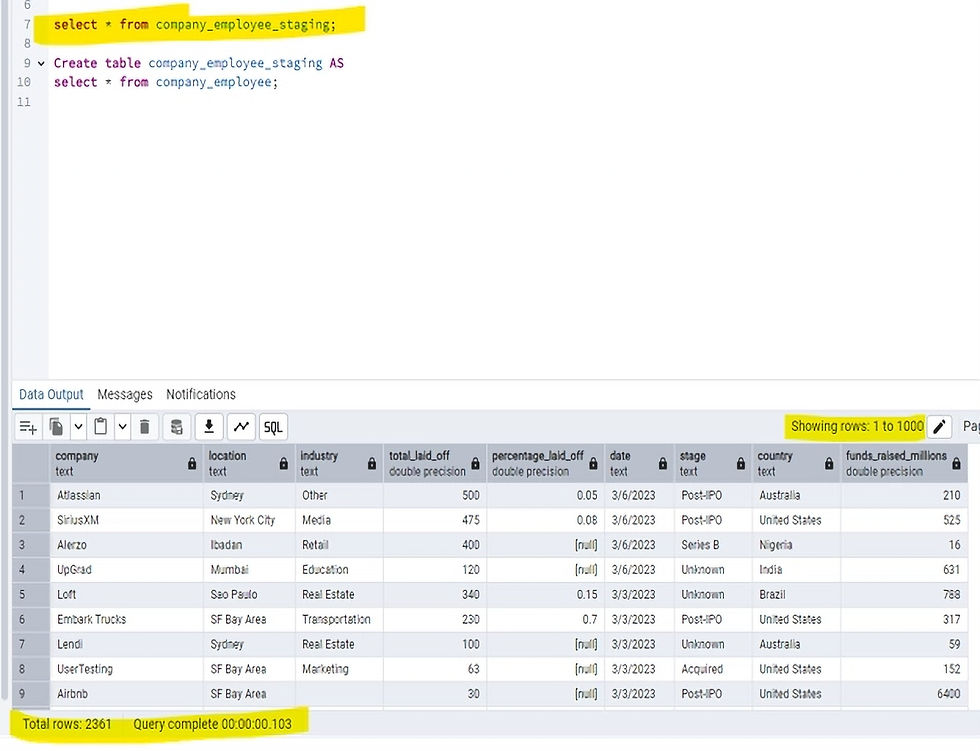
Note: this dataset doesn't have unique key, Create unique key by using row_number() to match with all existing column in company_employee_staging table
why use unique key in table?
A unique key is a column or set of columns that prevent duplicate values in a column and can store NULL values. Unlike a primary key column, a table can have multiple unique key columns. This key is fairly similar to the primary key, except that the unique key column can store one NULL value
Step 7 : Create row_number()
SELECT *,
ROW_NUMBER() OVER(
PARTITION BY company,location,industry, total_laid_off,stage, country, percentage_laid_off, date, funds_raised_millions) AS row_num
from company_employee_staging;
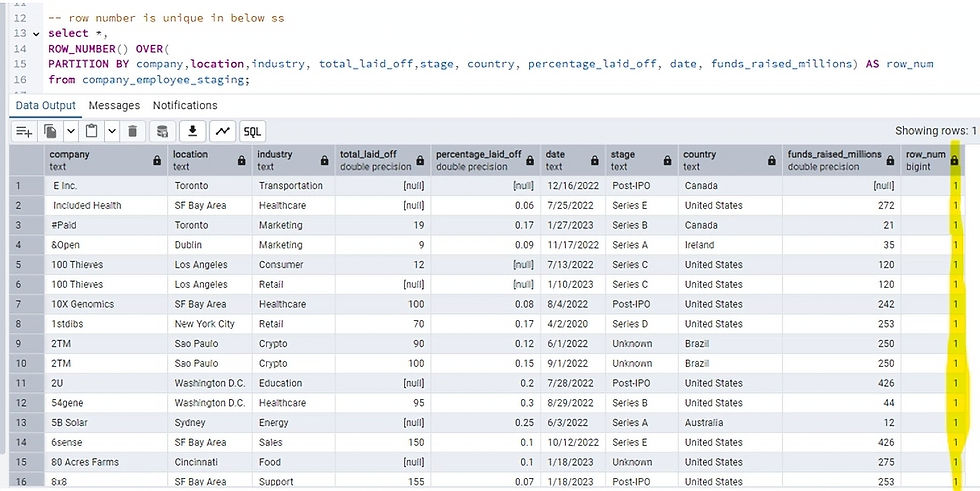
Handle Duplicates
Step 8: Identify Duplicate values in dataset, Create CTE to filter out duplicate, if you run this you will see total 7 rows are duplicates which has row_num = 2 value
WITH  duplicate_cte AS
(
SELECT  *,
ROW_NUMBER() OVER(
PARTITION BY company,location,industry, total_laid_off,stage, country, percentage_laid_off, date, funds_raised_millions ) AS row_num
FROM company_employee_staging
)


SELECT *
FROM duplicate_cte
WHERE row_num > 1;
Step 9: Delete duplicates, It should thrown an error
DELETE
FROM company_employee_staging
WHERE row_num > 1;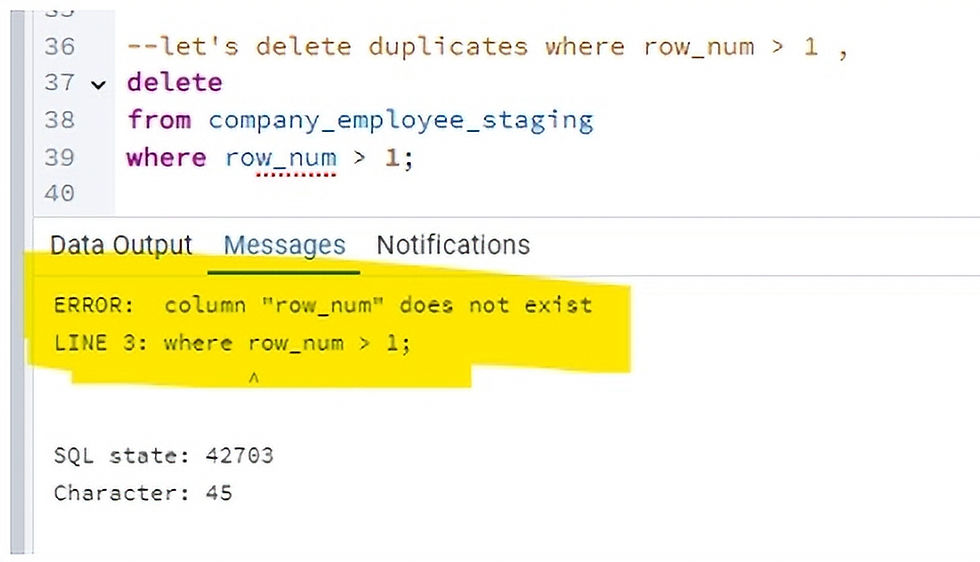
Step 10: Create new table to handle error
Error: column "row_num" does not exist . Creating another table "employee_layoffs " to delete duplicates. this time adding new column "row_num"
CREATE TABLE IF NOT EXISTS employee_layoffs (
    company TEXT NOT NULL,
    location TEXT NOT NULL,
    industry TEXT,
    total_laid_off DOUBLE PRECISION,
    percentage_laid_off DOUBLE PRECISION,
    date TEXT,
    stage TEXT,
    country TEXT,
    funds_raised_millions DOUBLE PRECISION,
	row_num INT
);
Step 11: Insert "company_employee_staging" into "employee_layoffs"
INSERT INTO employee_layoffs
SELECT *,
ROW_NUMBER() OVER(
PARTITION BY company,location,industry, total_laid_off,stage, country, percentage_laid_off, date, funds_raised_millions) AS row_num
FROM company_employee_staging;
Step 12: Retrieve newly created table "employee_layoffs "
SELECT * FROM employee_layoffs;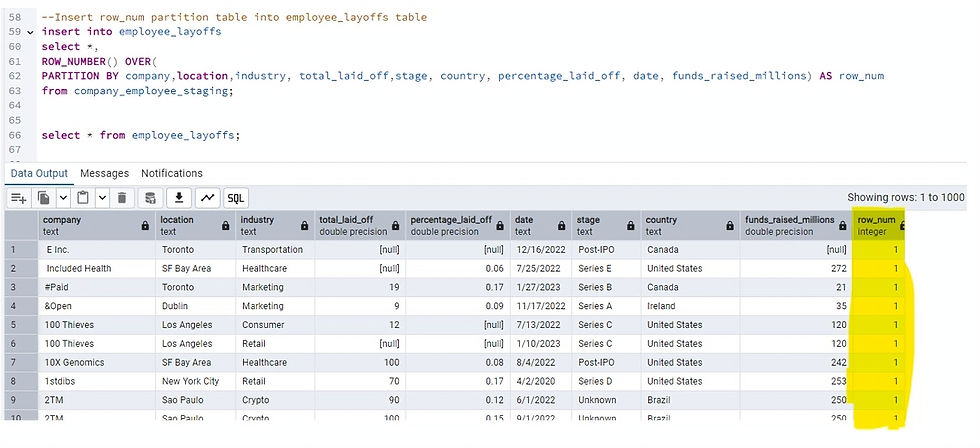
Step 13: Identify duplicate from employee_layoffs Table and delete duplicate rows
SELECT *
FROM employee_layoffs
WHERE row_num > 1;
DELETE
FROM employee_layoffs
WHERE row_num > 1;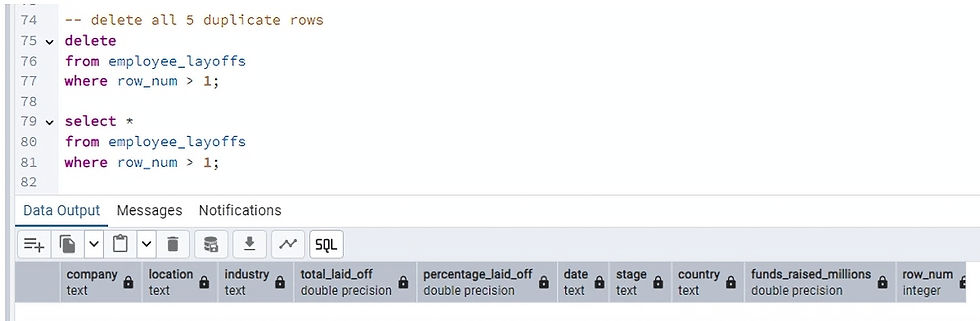
Standardize data
Step 14: Remove white space from company column, Use TRIM() function. Update column company with Trim(company) column, White spaces removed
SELECT
company,
TRIM(company)
FROM employee_layoffs;
UPDATE employee_layoffs
SET company = TRIM(company);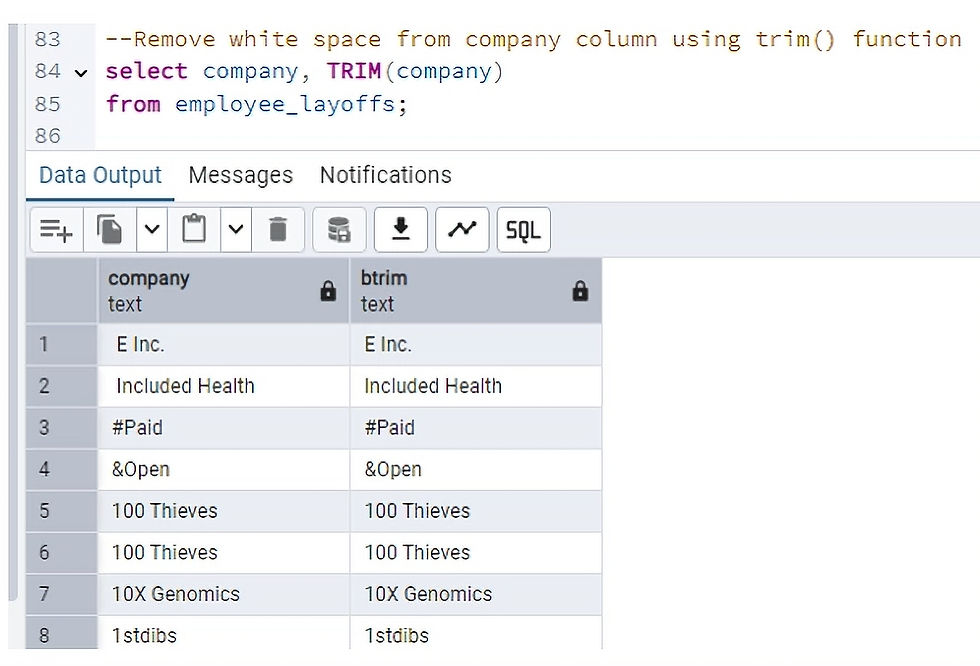
Step 15: Clean/Update columns in dataset employee_layoffs. industry column have crypto and Crypto Currency, i want to update Crypto Currency as Crypto in industry column.
Retrieve column industry
SELECT *
FROM employee_layoffs
WHERE industry LIKE 'Crypto%';
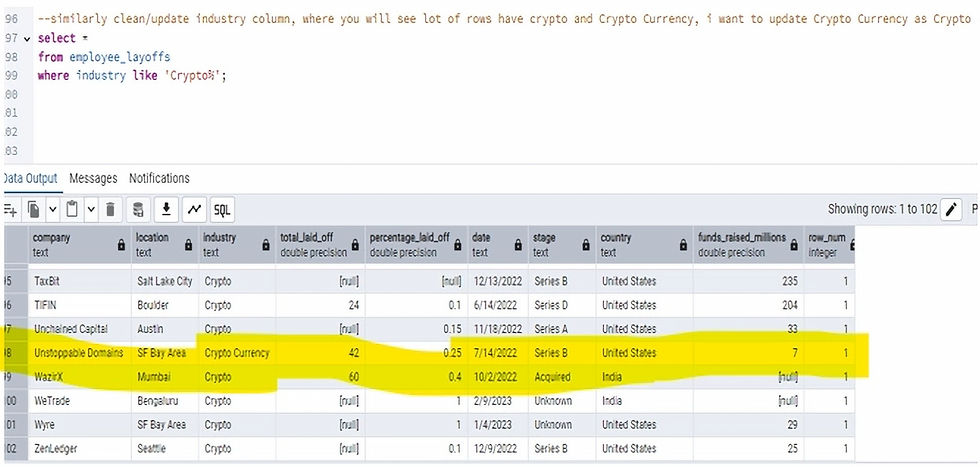
Update "Crypto Currency" as "Crypto"
UPDATE employee_layoffs
SET industry = 'Crypto'
WHERE industry LIKE 'Crypto%';
--Run below query to validate industry column
SELECT distinct industry
FROM employee_layoffs;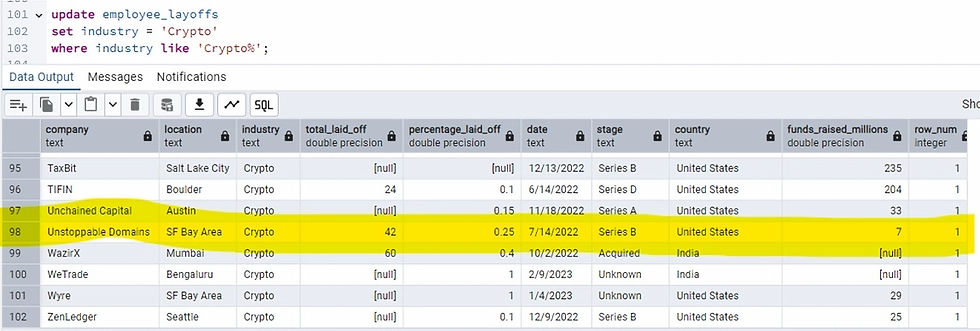
Step 16: In "country" column some of the rows have "United States." instead of "United States" , I want to remove "." and keep it as "United States"
SELECT DISTINCT country
FROM employee_layoffs;
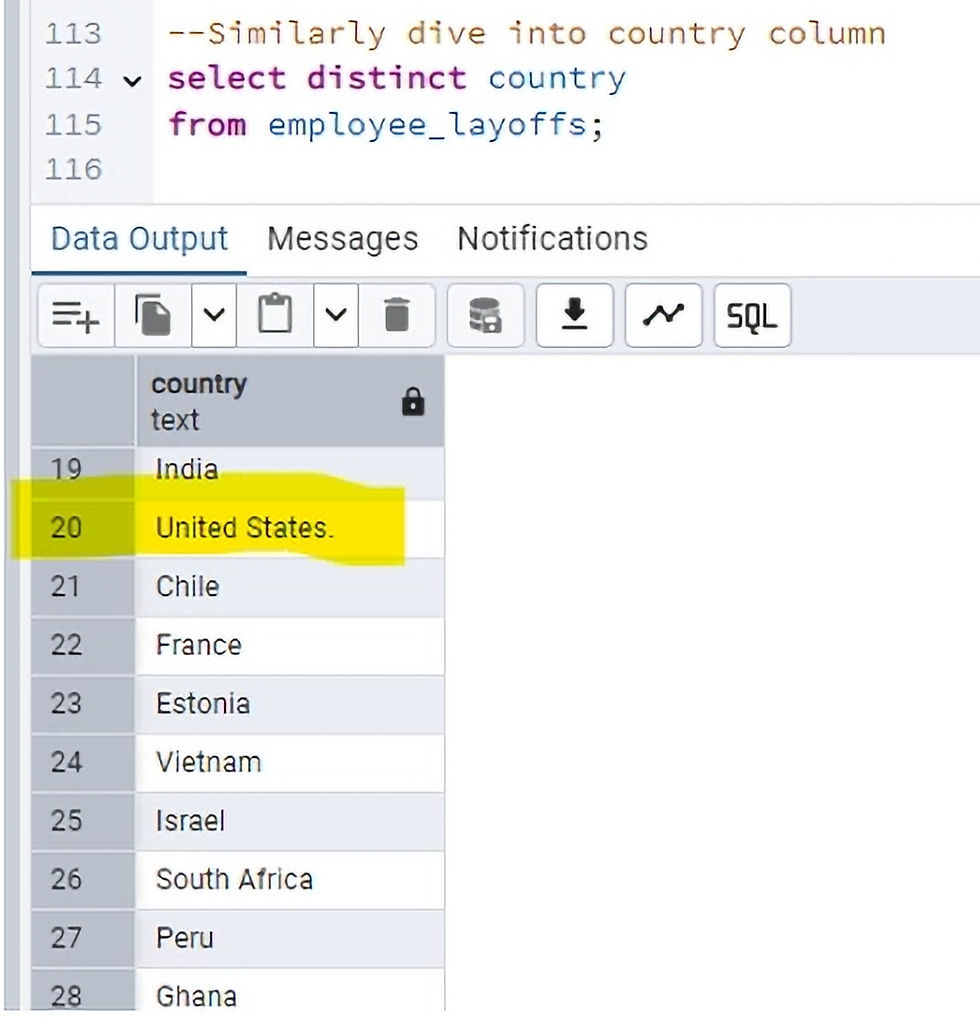
Retrieve county column
SELECT *
FROM employee_layoffs
WHERE country LIKE 'United States.%';
Update "United States" instead of "United States."
UPDATE employee_layoffs
SET country = 'United States'
WHERE country LIKE 'United States%';
Step 17: In the employee_layoffs dataset date column has wrong date format, Let's fix it
SELECT date
FROM employee_layoffs
WHERE date IS NOT NULL
AND date !~ '^\d{4}-\d{2}-\d{2}$';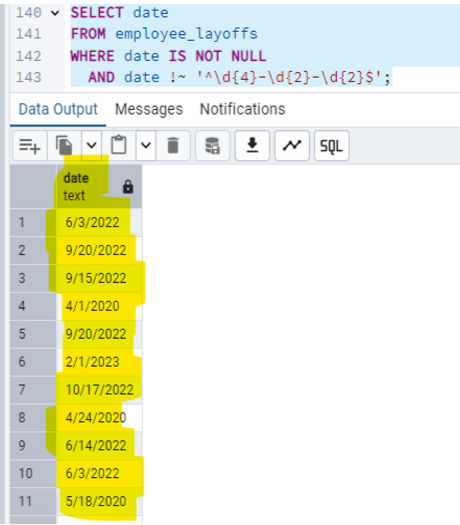
date column has date format is M/D/YYYY, we need to explicitly cast it using TO_DATE() with format
''YYYY-MM-DD''.
UPDATE employee_layoffs
SET date = TO_CHAR(TO_DATE(date, 'MM/DD/YYYY'), 'YYYY-MM-DD');
Now date format is fixed, let's change "TEXT" data type into "DATE"
ALTER TABLE employee_layoffs
ALTER COLUMN date TYPE DATE
USING TO_DATE(date, 'YYYY-MM-DD');
Handle Null Values
Few of the column in employee_layoffs dataset have null values, Let's dive into those columns
Step 18: Null values in total_laid_off , percentage_laid_off and funds_raised_millions looks good . i don't think i want to change that. I like having them null because it makes it easier for calculations during the EDA phase
SELECT * FROM employee_layoffs
WHERE total_laid_off IS NULL
AND percentage_laid_off IS NULL;

SELECT * FROM employee_layoffs
WHERE funds_raised_millions IS NULL;
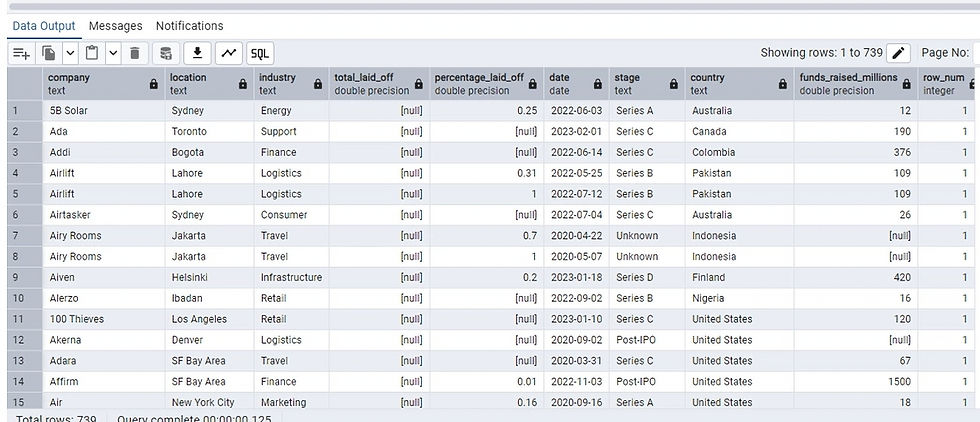
Remove Unwanted column
Step 19: I don't need row_num column in final clean data, remove row_num column from dataset
--Retrieve data
select * from employee_layoffs
Step 20: Drop row_num column from dataset employee_layoffs
ALTER TABLE employee_layoffs
DROP COLUMN row_num;
Well done for having clean data, Now data is ready for further Analysis and Visualization
Conclusion:
Data cleaning removes errors, duplicates, and inconsistencies, resulting in a dataset that is more accurate and reliable for analysis. Clean data allows for more informed decision-making, as analysts can be confident in the accuracy and reliability of the insights derived from the data. For machine learning and predictive modeling, clean data is crucial for training effective models and achieving accurate predictions. When data is clean and well-organized, it's easier to work with, saving time and resources for analysts. Data cleaning minimizes the risk of errors and inconsistencies in the data, which can lead to inaccurate analysis and flawed conclusions. By cleaning and standardizing data, it becomes easier to integrate data from various sources and create a more holistic view of the data.


