A Guide to Handling Toast Notifications in Selenium
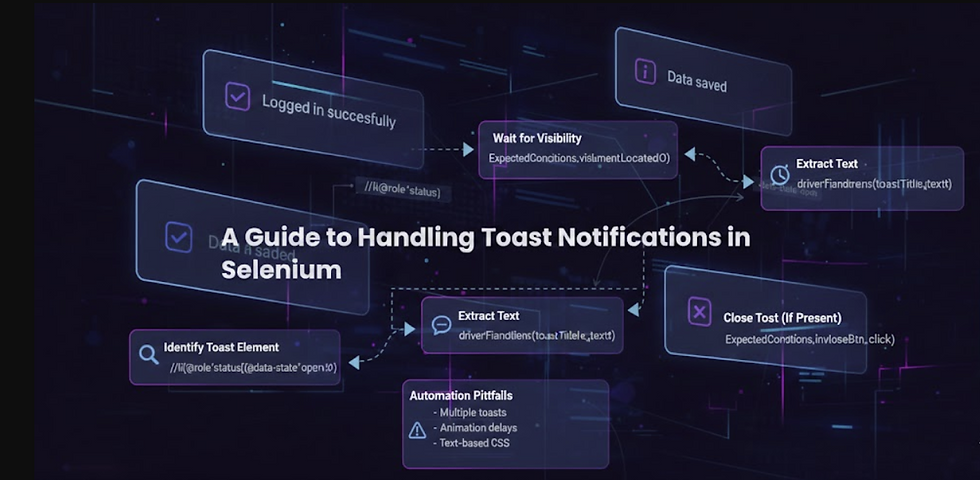
Modern web applications rely heavily on toast notifications — those small, temporary pop‑ups that
confirm actions like saving data, logging in or submitting a form. They look simple, but for automation engineers, toast windows can be surprisingly tricky to handle.
In this guide, we’ll break down how toast notifications work, why they cause issues in UI automation, and how to reliably locate and validate them using Selenium Java and XPath.
First, Lets learn about what are xpaths and how to use them-
In Selenium, XPath (XML Path Language) is a powerful locator strategy used to navigate the HTML structure of a webpage and find specific web elements. It is particularly useful for locating elements that do not have unique IDs, names or class names or for dealing with dynamic content where attributes change frequently.
Key Concepts:
DOM Navigation: When a web page loads, it creates a Document Object Model (DOM). XPath uses a path-like syntax to traverse this tree structure, much like a file system, to pinpoint a specific element.
Flexibility: While other locators (like ID, class name, name) are often faster, they are not always sufficient. XPath offers greater flexibility and allows for complex searches based on attributes, text content and relationships with other elements (e.g., parent, child, sibling).
Syntax: The basic syntax for an XPath expression is //tagname[@attribute='value']
e.g //li[@data-state='open']//button[@toast-close]
Types of XPath:
There are two main types of XPath used in Selenium automation:
Absolute XPath: This is the direct path from the root node of the HTML document to the target element.
o Starts with: A single forward slash (/), e.g., /html/body/div/input.
o Pros: Provides precision and is simple for stable, static structures.
o Cons: It is very brittle; if any part of the DOM structure changes (e.g., a new div is added), the entire XPath breaks. It is generally not recommended for production automation scripts.
Relative XPath: This path starts from any node within the DOM, making it much more flexible and resilient to changes in the page structure.
o Starts with: A double forward slash (//), e.g., //input[@name='username'].
o Pros: More robust, readable, and adaptable to dynamic content. This is the preferred method for most automation testing.
⭐ Why Toast Notifications Are Hard to Automate
Toast popups are challenging because:
They appear briefly and disappear automatically.
They often use dynamic classes (Tailwind, Radix UI, Material UI).
Multiple toasts may exist in the DOM at the same time.
Only one toast is actually visible (data-state="open").
They may animate in/out, causing timing issues.
To automate them reliably, you need stable locators and proper waits.
🔍 Understanding a Typical Toast Structure
A common toast (e.g., Radix UI) looks like this:

Sample Toast message
Success
Logged in successfully
Key attributes:
Element | Meaning |
role="status" | Identifies a toast/alert |
data-state="open" | Only the visible toast |
text-lg font-bold | Toast title |
text-base opacity-95 | Toast message |
This gives us reliable anchors for XPath.
✅ XPath Strategy for Toast Notifications:
1. Locate the currently visible toast and inspect the source to get source path.
By openToast = By.xpath("//li[@role='status' and @data-state='open']");
This ensures Selenium interacts only with the toast that is actually displayed.
2. Locate the toast title using above elements present
By toastTitle = By.xpath( "//li[@role='status' and @data-state='open']//div[contains(@class,'text-lg') and contains(@class,'font-bold')]" );
This avoids text‑based matching and relies on stable class patterns.
3. Locate the toast message
By toastMessage = By.xpath( "//li[@role='status' and @data-state='open']//div[contains(@class,'text-base') and contains(@class,'opacity-95')]" );
These are class patterns present in above sample toast message. You need to inspect the toast which you want to handle.
⏳ Waiting for Toast to Appear
Toast notifications appear asynchronously, so you must wait for them.
WebDriverWait wait = new WebDriverWait(driver, Duration.ofSeconds(10));
WebElement toast = wait.until( ExpectedConditions.visibilityOfElementLocated( By.xpath("//li[@role='status' and @data-state='open']") ) );
🧪 Reading Toast Title and Message
String title = driver.findElement(toastTitle).getText();
String message = driver.findElement(toastMessage).getText();
System.out.println("Toast Title: " + title);
System.out.println("Toast Message: " + message);
🧹 Closing the Toast (If It Has a Close Button)
Some toasts include a close (X) button:
Single Toast:
By closeBtn = By.xpath( "//li[@role='status' and @data-state='open']//button[contains(@class,'close')]" ); driver.findElement(closeBtn).click();
If the toast auto‑dismisses, you can wait for it to disappear:
wait.until(ExpectedConditions.invisibilityOfElementLocated(openToast));
Multiple Toasts:
There can be more than one toast on the page. You can get all toasts and close them all one by one.
WebDriverWait wait = new WebDriverWait(driver, Duration.ofSeconds(10));
List<WebElement> closeButtons = driver.findElements(closeBtn));
for (WebElement btn : closeButtons) {
try {
wait.until(ExpectedConditions.elementToBeClickable(btn)).click();
} catch (Exception ignored) {}
}
🛡️ Avoiding Common Automation Pitfalls
1. Multiple toasts in DOM
Always anchor to: data-state='open'
2. Animation delays
Use: ExpectedConditions.visibilityOfElementLocated(...)
3. Dynamic Tailwind classes
Use contains(@class, ...) instead of exact class match.
4. Avoid text‑based XPath
Text changes often; class structure is more stable.
🎯 Final Thoughts
Toast notifications are small UI elements, but they can break your automation if not handled correctly. The key is to:
Anchor your XPath to unique toast attributes
Use visibility waits
Avoid brittle text‑based locators
Handle multiple toasts gracefully
With the strategies above, your Selenium tests will handle toast windows reliably and consistently.


